Backend Development — Node.js & Express
Learn the fundamentals of server-side JavaScript using Node.js and Express, including HTTP servers, REST APIs, middleware, authentication, error handling, and backend application structure.

#Node.js#
Node.js — Complete Interview Preparation Guide
A structured guide covering Node.js from fundamentals to advanced topics. Read top to bottom once, then use the Interview Q&A and Cheat Sheet sections for revision.
Table of Contents
- Introduction
- Architecture & Internals
- Event Loop (Most Asked)
- Modules System
- Core Modules
- Asynchronous Programming
- Events & EventEmitter
- Streams & Buffers
- File System (fs)
- HTTP & Express.js
- Middleware
- REST API Design
- Databases
- Authentication & Authorization
- Security Best Practices
- Error Handling
- Performance & Scaling
- Child Process, Cluster & Worker Threads
- Testing
- Debugging & Logging
- Package Management (npm)
- Environment & Configuration
- Deployment & Production
- Real-time: WebSockets
- Microservices & Architecture Patterns
- Modern Node.js Features
- Coding Questions
- Interview Q&A
- Cheat Sheet
1. Introduction
What is Node.js?
Node.js is an open-source, cross-platform JavaScript runtime built on Chrome's V8 engine. It lets you run JavaScript outside the browser (servers, CLIs, tools).
Key Features
- Asynchronous & non-blocking I/O
- Single-threaded event loop (with a background thread pool)
- Fast — V8 compiles JS to machine code
- Cross-platform (Windows, Linux, macOS)
- npm — the largest package ecosystem
- Great for I/O-heavy apps (APIs, chat, streaming)
Node.js vs Browser JavaScript
| Feature | Browser | Node.js |
|---|---|---|
| Global object | window | global / globalThis |
| DOM access | Yes | No |
| File system | No | Yes (fs) |
| Modules | ES Modules | CommonJS + ES Modules |
| Use | UI | Server, tooling |
When to use / not use
Good for: REST APIs, real-time apps (chat), streaming, microservices, SPAs backend, CLI tools. Not ideal for: CPU-intensive tasks (video encoding, heavy computation) — unless using Worker Threads or offloading.
Node.js vs Other Backends
- vs PHP/Java: Node is non-blocking and single-threaded; Java/PHP traditionally use thread-per-request.
- Same language on frontend and backend.
Release Lines
- LTS (Long Term Support) — even-numbered versions (e.g., 18, 20, 22). Use for production.
- Current — odd-numbered, short-lived.
2. Architecture & Internals
Main Components
- V8 Engine — compiles and executes JavaScript (written in C++).
- libuv — C library providing the event loop, thread pool, and async I/O (file, DNS, network).
- Node.js Bindings — connect JS to C/C++.
- Core Library —
fs,http,path, etc.
Your JS Code
     │
 Node.js API (fs, http, ...)
     │
 Node Bindings (C++)
     │
 ┌───┴───────────┐
 V8 Engine     libuv (Event Loop + Thread Pool)
Single-Threaded but Concurrent — How?
- JavaScript code runs on one main thread.
- I/O operations (file, network, DB) are delegated to the OS or libuv's thread pool (default size 4, configurable via
UV_THREADPOOL_SIZE). - When done, callbacks are queued and executed by the event loop.
What uses the thread pool?
fsoperationscrypto(pbkdf2, scrypt, randomBytes)zlibcompressiondns.lookup
What does NOT use the thread pool?
- Network I/O (TCP/HTTP sockets) — handled by OS async mechanisms (epoll, kqueue, IOCP).
Blocking vs Non-Blocking
// Blocking
const data = fs.readFileSync('file.txt'); // blocks the event loop
console.log(data);

// Non-blocking
fs.readFile('file.txt', (err, data) => console.log(data));
console.log('Runs first');
3. Event Loop (Most Asked)
The event loop lets Node perform non-blocking operations by offloading work and processing callbacks when ready.
Phases (in order)
   ┌───────────────────────────┐
┌─>│         timers            │  setTimeout, setInterval callbacks
│  └─────────────┬─────────────┘
│  ┌─────────────┴─────────────┐
│  │     pending callbacks     │  deferred system I/O callbacks
│  └─────────────┬─────────────┘
│  ┌─────────────┴─────────────┐
│  │       idle, prepare       │  internal
│  └─────────────┬─────────────┘
│  ┌─────────────┴─────────────┐
│  │           poll            │  retrieve new I/O events, run I/O callbacks
│  └─────────────┬─────────────┘
│  ┌─────────────┴─────────────┐
│  │           check           │  setImmediate callbacks
│  └─────────────┬─────────────┘
│  ┌─────────────┴─────────────┐
└──┤      close callbacks      │  socket.on('close')
   └───────────────────────────┘
Microtask Queues (run between every phase)
process.nextTick()queue — highest priority- Promise microtask queue (
.then,async/await)
Execution Priority
Synchronous code
  → process.nextTick
    → Promise microtasks
      → Timers (setTimeout / setInterval)
        → I/O callbacks
          → setImmediate
            → close callbacks
Classic Example
console.log('1 - start');

setTimeout(() => console.log('2 - setTimeout'), 0);
setImmediate(() => console.log('3 - setImmediate'));
process.nextTick(() => console.log('4 - nextTick'));
Promise.resolve().then(() => console.log('5 - promise'));

console.log('6 - end');

// Output:
// 1 - start
// 6 - end
// 4 - nextTick
// 5 - promise
// 2 - setTimeout   (order vs setImmediate can vary in main module)
// 3 - setImmediate
setTimeout(0) vs setImmediate
- In the main module, order is non-deterministic (depends on process performance).
- Inside an I/O callback,
setImmediatealways runs first.
process.nextTick vs setImmediate
nextTickruns before the event loop continues (same phase, after current operation).setImmediateruns in the check phase.- Overusing
nextTickcan starve I/O.
Blocking the Event Loop
Avoid: heavy loops, JSON.parse on huge payloads, sync fs methods, catastrophic regex, sync crypto.
4. Modules System
CommonJS (CJS) — default in Node
// math.js
const add = (a, b) => a + b;
module.exports = { add };

// app.js
const { add } = require('./math');
ES Modules (ESM)
Enable with "type": "module" in package.json or .mjs extension.
// math.mjs
export const add = (a, b) => a + b;
export default function sub(a, b) { return a - b; }

// app.mjs
import sub, { add } from './math.mjs';
CJS vs ESM
| Feature | CommonJS | ES Modules |
|---|---|---|
| Syntax | require / module.exports | import / export |
| Loading | Synchronous | Asynchronous |
| Top-level await | No | Yes |
__dirname, __filename | Available | Not available (use import.meta.url) |
| Static analysis / tree-shaking | No | Yes |
| Bindings | Copy of values | Live bindings |
// __dirname in ESM
import { fileURLToPath } from 'url';
import path from 'path';
const __filename = fileURLToPath(import.meta.url);
const __dirname = path.dirname(__filename);
How require works
- Resolve — find file path
- Load — read file
- Wrap — wrap in function
(exports, require, module, __filename, __dirname) - Evaluate — execute
- Cache — stored in
require.cache
module.exports vs exports
exportsis a reference tomodule.exports.- Reassigning
exports = {...}breaks the link; always usemodule.exports = ...to replace.
Module Caching
Modules are loaded once and cached; subsequent require returns the same object (singleton behavior).
Circular Dependencies
Node returns a partially completed export of the module. Avoid by restructuring.
Module Resolution Order
- Core modules (
fs) - Relative/absolute path (
./file) node_modules(walks up parent directories)
5. Core Modules
| Module | Purpose |
|---|---|
fs | File system operations |
path | File path utilities |
http / https | Create servers & clients |
os | OS information |
events | EventEmitter |
stream | Streaming data |
buffer | Binary data |
crypto | Hashing, encryption |
url | URL parsing |
util | Utilities (promisify, inspect) |
zlib | Compression |
child_process | Spawn processes |
cluster | Multi-process |
worker_threads | Multi-threading |
readline | Read input line by line |
net | TCP servers/clients |
dns | DNS lookups |
assert | Assertions |
perf_hooks | Performance measurement |
path
const path = require('path');
path.join('/users', 'ali', 'file.txt');   // /users/ali/file.txt
path.resolve('file.txt');                 // absolute path
path.basename('/a/b/c.txt');              // c.txt
path.extname('c.txt');                    // .txt
path.dirname('/a/b/c.txt');               // /a/b
os
const os = require('os');
os.cpus().length;   // number of CPU cores
os.totalmem();
os.freemem();
os.platform();
util.promisify
const { promisify } = require('util');
const readFile = promisify(fs.readFile);
const data = await readFile('a.txt', 'utf8');
crypto
const crypto = require('crypto');
const hash = crypto.createHash('sha256').update('data').digest('hex');
const random = crypto.randomBytes(16).toString('hex');
Global objects
process, Buffer, console, setTimeout, setInterval, setImmediate, __dirname, __filename (CJS), global, globalThis, URL, fetch (Node 18+), AbortController.
process object
process.argv        // CLI arguments
process.env         // environment variables
process.cwd()       // current working directory
process.exit(0)     // exit
process.pid
process.memoryUsage()
process.uptime()
process.on('exit', ...)
process.on('uncaughtException', ...)
process.on('unhandledRejection', ...)
process.on('SIGTERM', ...)
6. Asynchronous Programming
Evolution
Callbacks → Promises → async/await
Callbacks
fs.readFile('a.txt', 'utf8', (err, data) => {
  if (err) return console.error(err);
  console.log(data);
});
Error-first callback convention: first argument is the error.
Callback Hell
Deeply nested callbacks → hard to read/maintain. Fix with Promises / async-await / modular functions.
Promises
const p = new Promise((resolve, reject) => {
  setTimeout(() => resolve('done'), 1000);
});
p.then(console.log).catch(console.error).finally(() => console.log('cleanup'));
Promise Combinators
| Method | Behavior |
|---|---|
Promise.all | Waits for all; rejects if any rejects |
Promise.allSettled | Waits for all; never rejects, returns statuses |
Promise.race | First to settle (resolve or reject) |
Promise.any | First to fulfill; rejects only if all reject |
async/await
async function getData() {
  try {
    const res = await fetch('https://api.example.com');
    return await res.json();
  } catch (err) {
    console.error(err);
  }
}
Sequential vs Parallel
// Sequential (slow)
const a = await getA();
const b = await getB();

// Parallel (fast)
const [a, b] = await Promise.all([getA(), getB()]);
Common Pitfalls
awaitinsideforEachdoesn't wait → usefor...oforPromise.all(map).- Forgetting
return/awaitin async functions. - Unhandled promise rejections (crash in Node 15+).
Concurrency control
Use libraries like p-limit or batch processing to avoid overwhelming resources.
7. Events & EventEmitter
Many Node core objects (streams, http server, process) extend EventEmitter.
const EventEmitter = require('events');

class MyEmitter extends EventEmitter {}
const emitter = new MyEmitter();

emitter.on('greet', (name) => console.log(`Hello ${name}`));
emitter.once('init', () => console.log('only once'));
emitter.emit('greet', 'Ali');
emitter.off('greet', handler);          // remove listener
emitter.removeAllListeners('greet');
Key Points
- Events are synchronous — listeners run in registration order when
emitis called. - Special event
'error'— if emitted with no listener, process crashes. - Default max listeners = 10 (warning for memory leak). Change via
setMaxListeners(n). - Methods:
on,once,off,emit,prependListener,listenerCount,eventNames.
8. Streams & Buffers
Buffer
A fixed-size chunk of memory (outside V8 heap) to handle binary data.
const buf = Buffer.from('Hello');
console.log(buf);                  // <Buffer 48 65 6c 6c 6f>
console.log(buf.toString('utf8')); // Hello
const empty = Buffer.alloc(10);    // zero-filled
Streams
Process data piece by piece instead of loading everything into memory. Essential for large files.
Types of Streams
| Type | Description | Example |
|---|---|---|
| Readable | Source of data | fs.createReadStream, http request |
| Writable | Destination | fs.createWriteStream, http response |
| Duplex | Both read & write | TCP socket |
| Transform | Duplex that modifies data | zlib.createGzip() |
Example
const fs = require('fs');
const readStream = fs.createReadStream('big.txt');
const writeStream = fs.createWriteStream('copy.txt');
readStream.pipe(writeStream);
Better: pipeline (handles errors and cleanup)
const { pipeline } = require('stream/promises');
const zlib = require('zlib');

await pipeline(
  fs.createReadStream('input.txt'),
  zlib.createGzip(),
  fs.createWriteStream('input.txt.gz')
);
Backpressure
When the writable can't consume as fast as the readable produces. pipe()/pipeline() handle it automatically. Manually: check write() return value; wait for 'drain' event.
Stream Events
data, end, error, close, finish, drain, pause, resume.
Modes
- Flowing — data emitted automatically.
- Paused — must call
read().
9. File System (fs)
Three API styles
const fs = require('fs');
const fsp = require('fs/promises');

fs.readFileSync('a.txt', 'utf8');            // sync (blocks)
fs.readFile('a.txt', 'utf8', cb);            // callback
await fsp.readFile('a.txt', 'utf8');         // promise (preferred)
Common Operations
await fsp.writeFile('a.txt', 'data');
await fsp.appendFile('a.txt', 'more');
await fsp.unlink('a.txt');                   // delete
await fsp.mkdir('dir', { recursive: true });
await fsp.readdir('dir');
await fsp.rename('old', 'new');
await fsp.stat('a.txt');                     // size, mtime, isFile()
await fsp.access('a.txt');                   // check existence/permission
fs.watch('dir', (event, file) => {});        // watch changes
Tips
- Prefer async/promise versions; avoid sync in servers.
- Use streams for large files.
- Use
path.joinfor cross-platform paths.
10. HTTP & Express.js
Native HTTP Server
const http = require('http');

const server = http.createServer((req, res) => {
  if (req.url === '/' && req.method === 'GET') {
    res.writeHead(200, { 'Content-Type': 'application/json' });
    res.end(JSON.stringify({ message: 'Hello' }));
  } else {
    res.writeHead(404);
    res.end('Not Found');
  }
});

server.listen(3000, () => console.log('Running on 3000'));
Express.js — Minimal Web Framework
const express = require('express');
const app = express();

app.use(express.json());                       // parse JSON body
app.use(express.urlencoded({ extended: true }));

app.get('/users/:id', (req, res) => {
  res.json({ id: req.params.id, q: req.query });
});

app.post('/users', (req, res) => {
  res.status(201).json(req.body);
});

app.listen(3000);
Request (req) Properties
req.params, req.query, req.body, req.headers, req.method, req.url, req.cookies, req.ip.
Response (res) Methods
res.send(), res.json(), res.status(), res.redirect(), res.sendFile(), res.cookie(), res.set(), res.end().
Routing with Router
// routes/user.js
const router = require('express').Router();
router.get('/', getUsers);
router.post('/', createUser);
module.exports = router;

// app.js
app.use('/api/users', require('./routes/user'));
Recommended Project Structure
project/
├── src/
│   ├── config/         # env, db config
│   ├── controllers/    # request handlers
│   ├── services/       # business logic
│   ├── models/         # DB schemas
│   ├── routes/         # route definitions
│   ├── middlewares/    # auth, validation, error
│   ├── utils/
│   └── app.js
├── tests/
├── .env
├── package.json
└── server.js
MVC / Layered Architecture
Route → Controller → Service → Repository/Model → DB
11. Middleware
Functions with access to req, res, and next(). They form a pipeline.
const logger = (req, res, next) => {
  console.log(req.method, req.url);
  next();                       // pass to next middleware
};
app.use(logger);
Types
- Application-level —
app.use() - Router-level —
router.use() - Built-in —
express.json(),express.static() - Third-party —
cors,helmet,morgan,cookie-parser - Error-handling — 4 arguments
(err, req, res, next)
Error-handling Middleware (must be last)
app.use((err, req, res, next) => {
  console.error(err);
  res.status(err.status || 500).json({ message: err.message });
});
Key Points
- Order matters.
- Must call
next()or end the response, otherwise the request hangs. - Pass error with
next(err)to jump to error middleware. - Express 5 handles rejected promises in async handlers automatically; in Express 4 wrap them (e.g.,
express-async-errorsor try/catch).
Popular Middleware
| Package | Use |
|---|---|
cors | Cross-origin requests |
helmet | Security headers |
morgan | HTTP logging |
compression | Gzip responses |
express-rate-limit | Rate limiting |
multer | File uploads |
cookie-parser | Parse cookies |
express-validator / joi / zod | Validation |
12. REST API Design
HTTP Methods
| Method | Purpose | Idempotent | Safe |
|---|---|---|---|
| GET | Read | Yes | Yes |
| POST | Create | No | No |
| PUT | Replace | Yes | No |
| PATCH | Partial update | No* | No |
| DELETE | Remove | Yes | No |
Status Codes
| Code | Meaning |
|---|---|
| 200 | OK |
| 201 | Created |
| 204 | No Content |
| 301/302 | Redirect |
| 304 | Not Modified |
| 400 | Bad Request |
| 401 | Unauthorized (not authenticated) |
| 403 | Forbidden (not authorized) |
| 404 | Not Found |
| 409 | Conflict |
| 422 | Unprocessable Entity |
| 429 | Too Many Requests |
| 500 | Internal Server Error |
| 502/503/504 | Bad Gateway / Unavailable / Timeout |
Best Practices
- Use nouns for resources:
/users,/users/:id/orders - Version your API:
/api/v1/... - Pagination:
?page=2&limit=20or cursor-based - Filtering/sorting:
?status=active&sort=-createdAt - Consistent response format
- Proper status codes
- HATEOAS (optional), rate limiting, caching headers
- Validate input; never trust client
PUT vs PATCH
PUT replaces the whole resource; PATCH updates only specified fields.
Idempotency
Same request multiple times → same result/state (important for retries).
CORS
Browser security mechanism; server must send Access-Control-Allow-Origin etc. Use cors middleware.
13. Databases
SQL vs NoSQL
| SQL (PostgreSQL, MySQL) | NoSQL (MongoDB, Redis) |
|---|---|
| Structured tables | Flexible documents/key-value |
| ACID, joins | Horizontal scaling, flexible schema |
| Strong consistency | Eventual consistency (often) |
MongoDB + Mongoose
const mongoose = require('mongoose');
await mongoose.connect(process.env.MONGO_URI);

const userSchema = new mongoose.Schema({
  name: { type: String, required: true },
  email: { type: String, unique: true, lowercase: true },
  createdAt: { type: Date, default: Date.now }
});
const User = mongoose.model('User', userSchema);

await User.create({ name: 'Ali', email: 'a@b.com' });
const users = await User.find({ name: 'Ali' }).select('name').limit(10);
await User.findByIdAndUpdate(id, { name: 'New' }, { new: true });
await User.findByIdAndDelete(id);
Key Mongo Concepts
- Indexes (single, compound, unique, text, TTL)
- Aggregation pipeline (
$match,$group,$lookup,$project,$sort) - Population (
populate) — references between collections - Embedding vs Referencing
- Transactions (replica sets)
lean()for faster read-only queries
SQL in Node
Drivers/ORMs: pg, mysql2, Sequelize, Prisma, TypeORM, Knex.
Connection Pooling
Reuse connections rather than opening a new one per request.
Redis (Caching)
In-memory key-value store: caching, sessions, rate limiting, pub/sub, queues.
const cached = await redis.get(key);
if (cached) return JSON.parse(cached);
const data = await db.query();
await redis.set(key, JSON.stringify(data), 'EX', 60);
Avoiding N+1 queries
Batch/join/populate rather than querying in a loop.
14. Authentication & Authorization
- Authentication — who are you? (login)
- Authorization — what can you do? (roles/permissions)
Password Hashing
Never store plain passwords. Use bcrypt / argon2.
const bcrypt = require('bcrypt');
const hash = await bcrypt.hash(password, 10);
const ok = await bcrypt.compare(password, hash);
JWT (JSON Web Token)
Structure: header.payload.signature (Base64URL encoded).
const jwt = require('jsonwebtoken');
const token = jwt.sign({ id: user._id, role: user.role }, process.env.JWT_SECRET, { expiresIn: '15m' });
const decoded = jwt.verify(token, process.env.JWT_SECRET);
Auth Middleware
const auth = (req, res, next) => {
  const token = req.headers.authorization?.split(' ')[1];
  if (!token) return res.status(401).json({ message: 'No token' });
  try {
    req.user = jwt.verify(token, process.env.JWT_SECRET);
    next();
  } catch {
    res.status(401).json({ message: 'Invalid token' });
  }
};

const authorize = (...roles) => (req, res, next) =>
  roles.includes(req.user.role) ? next() : res.status(403).json({ message: 'Forbidden' });
Access + Refresh Token Pattern
- Short-lived access token (minutes)
- Long-lived refresh token (days) stored in httpOnly secure cookie / DB
- Rotate refresh tokens; revoke on logout
Sessions vs JWT
| Session | JWT |
|---|---|
| Server stores state | Stateless |
| Easy to revoke | Harder to revoke |
| Needs shared store at scale (Redis) | Scales easily |
Other Concepts
- OAuth 2.0 / OpenID Connect (Google/GitHub login) — Passport.js
- RBAC (role-based) / ABAC (attribute-based)
- 2FA / MFA
- Cookies flags:
httpOnly,secure,sameSite
15. Security Best Practices
| Threat | Prevention |
|---|---|
| Injection (SQL/NoSQL) | Parameterized queries, sanitize input (express-mongo-sanitize) |
| XSS | Escape output, CSP header, sanitize HTML |
| CSRF | CSRF tokens, sameSite cookies |
| Brute force / DDoS | Rate limiting, account lockout |
| Insecure headers | helmet |
| Sensitive data exposure | HTTPS, env vars, never log secrets |
| Broken auth | Strong hashing, short JWT expiry |
| Dependency vulnerabilities | npm audit, Dependabot, lockfile |
| Prototype pollution | Validate input, avoid unsafe merges |
| ReDoS | Avoid catastrophic regex |
| Path traversal | Validate/normalize file paths |
| Mass assignment | Whitelist fields |
Checklist
- Use HTTPS/TLS
- Validate & sanitize all input (Joi/Zod)
- Use
helmet,cors(restrictive), rate limit - Keep secrets in env / secret manager
- Limit request body size
- Don't expose stack traces in production
- Run as non-root in containers
- Keep Node and dependencies updated
16. Error Handling
Types of Errors
- Operational — expected runtime problems (invalid input, DB down, 404). Handle gracefully.
- Programmer errors — bugs (undefined variable). Fix code; usually restart process.
Patterns
// Custom error class
class AppError extends Error {
  constructor(message, statusCode) {
    super(message);
    this.statusCode = statusCode;
    this.isOperational = true;
    Error.captureStackTrace(this, this.constructor);
  }
}

// Async wrapper (Express 4)
const catchAsync = (fn) => (req, res, next) => fn(req, res, next).catch(next);

app.get('/users/:id', catchAsync(async (req, res) => {
  const user = await User.findById(req.params.id);
  if (!user) throw new AppError('User not found', 404);
  res.json(user);
}));

// Centralized error handler
app.use((err, req, res, next) => {
  res.status(err.statusCode || 500).json({
    status: 'error',
    message: err.isOperational ? err.message : 'Something went wrong'
  });
});
Process-level Handlers
process.on('uncaughtException', (err) => {
  console.error(err);
  process.exit(1);          // state may be corrupt — exit & let PM/Docker restart
});

process.on('unhandledRejection', (reason) => {
  console.error(reason);
  server.close(() => process.exit(1));
});
Graceful Shutdown
process.on('SIGTERM', () => {
  server.close(async () => {
    await mongoose.connection.close();
    process.exit(0);
  });
});
17. Performance & Scaling
Optimization Techniques
- Never block the event loop
- Use async APIs, streams for big data
- Caching (Redis, in-memory, HTTP cache headers, CDN)
- Compression (gzip/brotli)
- Database indexing, query optimization, pagination,
lean() - Connection pooling
- Load balancing (Nginx, HAProxy, cloud LB)
- Clustering across CPU cores
- Offload heavy work to Worker Threads or job queues (BullMQ)
- Use HTTP keep-alive, HTTP/2
- Minimize dependencies; use latest LTS Node
Scaling
| Vertical | Horizontal |
|---|---|
| Bigger machine | More machines/instances |
| Limited | Near-unlimited |
| Needs stateless design |
Making Apps Stateless
Store sessions/uploads/cache in Redis/S3/DB, not process memory or local disk.
Memory Leaks — Common Causes
- Global variables / unbounded caches
- Unremoved event listeners
- Closures holding references
- Unclosed timers/connections
Tools: --inspect, Chrome DevTools heap snapshots, clinic.js, process.memoryUsage().
Profiling
node --prof, --inspect, clinic doctor, 0x flamegraphs, autocannon / k6 / Artillery for load testing.
Garbage Collection
V8 uses generational GC (young generation – Scavenge; old generation – Mark-Sweep/Compact). Increase heap: node --max-old-space-size=4096 app.js.
18. Child Process, Cluster & Worker Threads
Why?
Node runs JS on a single thread → use multiple CPU cores or offload CPU-bound tasks.
Child Process
Spawn separate OS processes (run shell commands, other scripts).
const { exec, spawn, fork, execFile } = require('child_process');

exec('ls -la', (err, stdout) => console.log(stdout));  // buffered output
const ls = spawn('ls', ['-la']);                       // streamed output
ls.stdout.on('data', (d) => console.log(d.toString()));
const child = fork('worker.js');                       // Node script + IPC channel
child.send({ task: 1 });
child.on('message', (msg) => {});
| Method | Use |
|---|---|
exec | Shell command, buffered output (small) |
execFile | Run executable without shell |
spawn | Streaming output, large data |
fork | Spawn Node process with IPC |
Cluster
Create multiple worker processes sharing the same server port to use all CPU cores.
const cluster = require('cluster');
const os = require('os');

if (cluster.isPrimary) {
  os.cpus().forEach(() => cluster.fork());
  cluster.on('exit', () => cluster.fork());  // restart dead worker
} else {
  require('./server');
}
PM2 does this easily: pm2 start app.js -i max.
Worker Threads
Run JS in parallel threads within the same process — ideal for CPU-intensive tasks. Can share memory via SharedArrayBuffer.
const { Worker, isMainThread, parentPort, workerData } = require('worker_threads');

if (isMainThread) {
  const worker = new Worker(__filename, { workerData: 40 });
  worker.on('message', (res) => console.log(res));
} else {
  const fib = (n) => (n < 2 ? n : fib(n - 1) + fib(n - 2));
  parentPort.postMessage(fib(workerData));
}
Comparison
| Child Process | Cluster | Worker Threads | |
|---|---|---|---|
| Isolation | Separate process | Separate process | Same process, separate thread |
| Memory | Separate | Separate | Can share |
| Best for | Run external programs | Scale HTTP servers | CPU-heavy computations |
| Overhead | High | High | Lower |
19. Testing
Types
- Unit — single function
- Integration — modules + DB/API together
- E2E — full flow
- Load/performance
Tools
| Tool | Purpose |
|---|---|
| Jest | Test runner + assertions + mocks |
| Mocha + Chai | Runner + assertion lib |
| Vitest | Fast Jest-compatible runner |
| Supertest | HTTP API testing |
| Sinon | Spies, stubs, mocks |
| node:test | Built-in test runner (Node 18+) |
Example (Jest + Supertest)
const request = require('supertest');
const app = require('../app');

describe('GET /users', () => {
  it('returns users', async () => {
    const res = await request(app).get('/users');
    expect(res.statusCode).toBe(200);
    expect(Array.isArray(res.body)).toBe(true);
  });
});
Best Practices
- Test pyramid: many unit, fewer integration, few E2E
- Mock external services & DB (or use test DB /
mongodb-memory-server) - AAA pattern: Arrange, Act, Assert
- Separate
appfromserver.listenfor testability - Track coverage (
jest --coverage)
20. Debugging & Logging
Debugging
node --inspect app.js→ Chrome DevTools / VS Code debuggernode --inspect-brk→ pause at first linedebugger;statementconsole.table,console.time/timeEnd,console.trace
Logging
- Use structured loggers: Winston, Pino (fastest), Bunyan
- Morgan for HTTP request logs
- Log levels:
error,warn,info,http,debug - Log in JSON; include request ID/correlation ID
- Never log passwords/tokens/PII
- Ship logs to ELK / Datadog / CloudWatch
Monitoring
APM tools (New Relic, Datadog, Sentry for errors), health-check endpoints (/health), metrics (Prometheus + Grafana).
21. Package Management (npm)
package.json
Key fields: name, version, main, type, scripts, dependencies, devDependencies, engines.
Common Commands
npm init -y
npm install express               # add dependency
npm install -D jest               # dev dependency
npm install -g pm2                # global
npm uninstall pkg
npm update
npm run dev
npm ci                            # clean install from lockfile (CI/CD)
npm audit / npm audit fix
npm outdated
npx create-something              # run package without installing
dependencies vs devDependencies vs peerDependencies
- dependencies — needed at runtime
- devDependencies — only for development/testing/build
- peerDependencies — host app must provide (plugins/libraries)
Semantic Versioning (MAJOR.MINOR.PATCH)
^1.2.3→>=1.2.3 <2.0.0~1.2.3→>=1.2.3 <1.3.01.2.3→ exact
Lock Files
package-lock.json / yarn.lock / pnpm-lock.yaml ensure reproducible installs. Commit them.
npm vs yarn vs pnpm
- pnpm — fast, disk-efficient via content-addressable store and symlinks
- yarn — workspaces, Plug'n'Play
- npm — default
Scripts & Lifecycle Hooks
pre<script>, post<script>, prepare, postinstall.
Monorepos
npm/yarn/pnpm workspaces, Turborepo, Nx.
22. Environment & Configuration
# .env
PORT=3000
DB_URI=mongodb://localhost/app
JWT_SECRET=supersecret
require('dotenv').config();           // or: node --env-file=.env app.js (Node 20+)
const port = process.env.PORT || 3000;
Best Practices
- Never commit
.env(add to.gitignore) - Validate env vars at startup (Zod/Joi/envalid)
- Separate configs per environment (
NODE_ENV=development|test|production) - Use secret managers in production (AWS Secrets Manager, Vault)
NODE_ENV=productionenables optimizations (Express caching, less verbose errors)
23. Deployment & Production
Process Managers
- PM2 — clustering, auto-restart, logs, monitoring
- systemd, Docker restart policies
Reverse Proxy (Nginx)
SSL termination, load balancing, static files, gzip, rate limiting.
Docker
FROM node:20-alpine
WORKDIR /app
COPY package*.json ./
RUN npm ci --omit=dev
COPY . .
USER node
EXPOSE 3000
CMD ["node", "server.js"]
Tips: multi-stage builds, .dockerignore, non-root user, small base images.
CI/CD
GitHub Actions / GitLab CI / Jenkins: lint → test → build → deploy.
Platforms
AWS (EC2, ECS, Lambda, Elastic Beanstalk), Vercel, Render, Railway, Heroku, DigitalOcean, Kubernetes.
Production Checklist
NODE_ENV=production- HTTPS, helmet, rate limiting, CORS configured
- Centralized logging & monitoring
- Health checks & graceful shutdown
- Process manager / orchestrator
- DB backups, connection limits
- Horizontal scaling with a load balancer
- Zero-downtime deploys (rolling / blue-green)
Twelve-Factor App
Config in env, stateless processes, logs as streams, disposable processes, dev/prod parity, etc.
24. Real-time: WebSockets
HTTP is request/response; WebSocket gives a persistent full-duplex connection.
Socket.IO Example
const { Server } = require('socket.io');
const io = new Server(httpServer, { cors: { origin: '*' } });

io.on('connection', (socket) => {
  socket.join('room1');
  socket.on('message', (msg) => io.to('room1').emit('message', msg));
  socket.on('disconnect', () => {});
});
Real-time Options
| Technique | Notes |
|---|---|
| Polling / Long polling | Simple, inefficient |
| Server-Sent Events (SSE) | One-way server → client |
| WebSocket | Two-way, low latency |
| Socket.IO | WebSocket + fallbacks, rooms, auto-reconnect |
Scaling WebSockets
Use sticky sessions or the Redis adapter (pub/sub) so events propagate across multiple server instances.
25. Microservices & Architecture Patterns
Monolith vs Microservices
| Monolith | Microservices |
|---|---|
| Single deployable | Independent services |
| Simple to start | Scales per service, complex ops |
Communication
- Sync: REST, gRPC, GraphQL
- Async: Message queues/brokers — RabbitMQ, Kafka, Redis Pub/Sub, AWS SQS
Related Concepts
- API Gateway — single entry point (routing, auth, rate limit)
- Service discovery
- Circuit breaker — stop calling failing service
- Saga pattern — distributed transactions
- CQRS & Event Sourcing
- Job queues — BullMQ for background tasks (emails, reports)
- GraphQL — Apollo Server, clients fetch exactly what they need
Design Patterns in Node
Singleton (module cache), Factory, Observer (EventEmitter), Middleware/Chain of Responsibility, Dependency Injection, Repository, Strategy, Decorator.
SOLID & Clean Architecture
Keep business logic independent of frameworks (controllers thin, services thick).
26. Modern Node.js Features
fetchAPI built-in (Node 18+)- Built-in test runner
node:test --watchmode (node --watch app.js) — replaces nodemon--env-fileflag for.env- Top-level
awaitin ESM node:prefix for core modules:import fs from 'node:fs'- AbortController / AbortSignal — cancel async ops
- Web Streams API,
structuredClone - Permission model (experimental) — restrict fs/network
- Single Executable Applications
- Corepack — manage yarn/pnpm
- Native TypeScript stripping (newer versions,
--experimental-strip-types) AsyncLocalStorage— request-scoped context (e.g., request IDs)
// AsyncLocalStorage
const { AsyncLocalStorage } = require('async_hooks');
const als = new AsyncLocalStorage();
app.use((req, res, next) => als.run({ reqId: crypto.randomUUID() }, next));
27. Coding Questions
1. Simple HTTP server (no Express)
See Section 10.
2. Promisify a callback function
const promisify = (fn) => (...args) =>
  new Promise((resolve, reject) =>
    fn(...args, (err, result) => (err ? reject(err) : resolve(result)))
  );
3. Custom EventEmitter
class MyEmitter {
  constructor() { this.events = {}; }
  on(e, cb) { (this.events[e] ||= []).push(cb); }
  emit(e, ...args) { (this.events[e] || []).forEach((cb) => cb(...args)); }
  off(e, cb) { this.events[e] = (this.events[e] || []).filter((f) => f !== cb); }
}
4. Rate limiter middleware (simple, in-memory)
const hits = new Map();
const rateLimit = (limit, windowMs) => (req, res, next) => {
  const now = Date.now();
  const entry = hits.get(req.ip) || { count: 0, start: now };
  if (now - entry.start > windowMs) { entry.count = 0; entry.start = now; }
  entry.count++;
  hits.set(req.ip, entry);
  if (entry.count > limit) return res.status(429).json({ message: 'Too many requests' });
  next();
};
5. Read a large file line by line
const readline = require('readline');
const rl = readline.createInterface({ input: fs.createReadStream('big.txt') });
for await (const line of rl) console.log(line);
6. Retry with exponential backoff
async function retry(fn, retries = 3, delay = 500) {
  try { return await fn(); }
  catch (err) {
    if (retries === 0) throw err;
    await new Promise((r) => setTimeout(r, delay));
    return retry(fn, retries - 1, delay * 2);
  }
}
7. Output prediction
setTimeout(() => console.log('timeout'), 0);
Promise.resolve().then(() => console.log('promise'));
process.nextTick(() => console.log('tick'));
console.log('sync');
// sync → tick → promise → timeout
8. Debounce
const debounce = (fn, ms) => {
  let t;
  return (...args) => { clearTimeout(t); t = setTimeout(() => fn(...args), ms); };
};
9. Simple in-memory cache with TTL
class Cache {
  #store = new Map();
  set(k, v, ttl) { this.#store.set(k, { v, exp: Date.now() + ttl }); }
  get(k) {
    const e = this.#store.get(k);
    if (!e) return null;
    if (Date.now() > e.exp) { this.#store.delete(k); return null; }
    return e.v;
  }
}
28. Interview Q&A
Basics
Q1. What is Node.js? A JavaScript runtime built on V8 that executes JS on the server, using an event-driven, non-blocking I/O model.
Q2. Is Node.js single-threaded? JS execution runs on a single main thread, but Node uses libuv's thread pool and OS async mechanisms behind the scenes, and Worker Threads/Cluster for parallelism.
Q3. Why is Node.js fast? V8 engine, non-blocking I/O, event-driven architecture, and no thread-per-request overhead.
Q4. What is the difference between Node.js and JavaScript? JavaScript is the language; Node.js is a runtime environment that runs it outside the browser with server APIs.
Q5. What is npm? Node Package Manager — registry and CLI to install/manage packages.
Q6. What is package.json vs package-lock.json?
package.json declares dependencies/metadata with version ranges; the lock file pins exact versions for reproducible installs.
Q7. What is REPL?
Read-Eval-Print Loop — interactive shell started with node.
Async & Event Loop
Q8. Explain the event loop.
It continuously checks the call stack and callback queues; it processes phases (timers → poll → check → close), running microtasks (nextTick, promises) between operations, enabling non-blocking behavior.
Q9. process.nextTick() vs setImmediate() vs setTimeout(0)?
nextTick runs right after the current operation (before promises); setImmediate runs in the check phase; setTimeout(0) runs in the timers phase.
Q10. What is callback hell and how do you avoid it? Deeply nested callbacks. Avoid with Promises, async/await, named functions, modularization.
Q11. What happens if you block the event loop? All requests stall; server becomes unresponsive. Use async APIs, streams, workers.
Q12. Promise.all vs allSettled vs race vs any?
See Section 6.
Q13. How does Node handle concurrent requests with one thread? Delegates I/O, continues processing other requests, and handles completed I/O via callbacks on the event loop.
Modules & Core
Q14. require vs import?
require is CommonJS (sync, dynamic); import is ESM (static, async, supports tree-shaking, top-level await).
Q15. What is module.exports?
The object returned when a module is required.
Q16. What are streams and why use them? Process data in chunks; memory efficient, good for large files and real-time data.
Q17. What is a Buffer? Raw binary data storage outside the V8 heap.
Q18. What is backpressure? When the data producer is faster than the consumer; handled by pausing the readable until the writable drains.
Q19. What is EventEmitter?
A class for implementing the observer pattern (on, emit).
Q20. What is the global object?
Node's global scope object (globalThis); variables declared in a module are module-scoped, not global.
Express & APIs
Q21. What is middleware?
Functions executed in order during the request-response cycle with access to req, res, next.
Q22. How do you handle errors in Express?
Error-handling middleware with 4 parameters, next(err), async wrappers.
Q23. app.use() vs app.get()?
use matches all methods for a path prefix (middleware); get matches only GET for an exact route.
Q24. 401 vs 403? 401 = not authenticated; 403 = authenticated but not permitted.
Q25. How to structure a large Express app? Layered: routes → controllers → services → models; config, middlewares, utils separate.
Q26. How do you handle file uploads?
multer (multipart/form-data) or direct-to-S3 using presigned URLs.
Q27. How do you implement pagination?
Offset (skip/limit) or cursor-based (better for large/live data).
Scaling & Performance
Q28. Cluster vs Worker Threads? Cluster = multiple processes to scale I/O servers; Worker Threads = threads for CPU-bound tasks within one process.
Q29. How do you scale a Node.js app? Cluster/PM2, load balancer, stateless design, caching, DB optimization, queues, horizontal scaling, microservices.
Q30. How do you find and fix memory leaks?
Heap snapshots, --inspect, monitor process.memoryUsage(), check listeners/global caches/closures.
Q31. How do you handle CPU-intensive tasks? Worker threads, child processes, job queues, or separate microservice / native addon.
Q32. What is caching and where do you apply it? Store computed/fetched data for reuse — in-memory, Redis, HTTP cache headers, CDN.
Security
Q33. How do you secure a Node.js app? See Section 15.
Q34. JWT vs Sessions? JWT is stateless and scalable but harder to revoke; sessions are server-stateful and easy to invalidate.
Q35. How to store passwords? Hash with bcrypt/argon2 with salt; never reversible encryption.
Q36. What is CORS? Browser mechanism controlling cross-origin requests; configured via response headers.
Misc
Q37. What is the difference between fork(), spawn(), exec()?
See Section 18.
Q38. What is libuv?
C library giving Node its event loop, thread pool, and async I/O abstraction.
Q39. What is process.env?
Object containing environment variables.
Q40. How do you gracefully shut down a server?
Handle SIGTERM/SIGINT, stop accepting new connections (server.close), finish in-flight requests, close DB connections, then exit.
Q41. What is the difference between readFile and createReadStream?
readFile loads the whole file into memory; streams read in chunks.
Q42. What is middleware order significance? Executed sequentially; e.g., body parser must come before routes, error handler last.
Q43. What is a memory-efficient way to process a 5GB file?
Streams with pipeline + readline / Transform streams.
Q44. How would you design a URL shortener / chat app / rate limiter? Cover: API design, DB schema, caching (Redis), unique ID generation, scaling (load balancer, sharding), websockets (for chat), monitoring.
Q45. What is the util.promisify?
Converts error-first callback functions into Promise-returning ones.
Q46. What are uncaughtException and unhandledRejection?
Global events for unhandled errors/rejections; log and shut down gracefully, don't continue blindly.
Q47. What is __dirname vs process.cwd()?
__dirname = directory of the current file; process.cwd() = directory where the process was started.
Q48. What is the difference between dependencies and devDependencies?
Runtime vs development-only packages.
Q49. How does require caching work?
Modules cached in require.cache after first load; subsequent requires return the same instance.
Q50. What are the differences between put and patch?
PUT replaces the entire resource; PATCH partially updates it.
29. Cheat Sheet
Event Loop Order
sync → nextTick → Promise → timers → I/O → setImmediate → close
Must-Know Keywords
V8 · libuv · event loop · thread pool · non-blocking I/O · streams · buffer · EventEmitter · middleware · cluster · worker threads · JWT · CORS · PM2 · nextTick · backpressure · graceful shutdown · CommonJS vs ESM
Interview Preparation Strategy
- Master event loop, async patterns, streams, modules (core Node).
- Build a REST API with Express + MongoDB/PostgreSQL + JWT auth.
- Learn error handling, validation, logging, testing.
- Understand scaling, caching, security, deployment.
- Practice coding questions and system design (rate limiter, chat app, URL shortener, notification service).
- Be ready to explain why — trade-offs matter more than syntax.
Recommended Practice Projects
- REST API with auth, roles, pagination, validation
- Real-time chat with Socket.IO + Redis adapter
- File upload service with streams / S3
- Job queue worker (BullMQ + Redis)
- URL shortener with caching and analytics
Further Resources
- Official docs: https://nodejs.org/docs
- Node.js Best Practices (goldbergyoni/nodebestpractices on GitHub)
- Express docs: https://expressjs.com
- MDN Web Docs (JavaScript fundamentals)
Good luck with your interview! 🚀
#Express#
Express.js — Complete Guide (Concepts → Interview Ready)
A single-file reference to understand Express.js from basics to advanced topics, with code samples and an interview Q&A section. Covers Express 4 and Express 5 (Express 5 is the current default on npm).
Table of Contents
- What is Express.js?
- Node.js Fundamentals You Must Know
- Installation & First Server
- Request–Response Cycle
- Routing
- Request Object (
req) - Response Object (
res) - Middleware (MOST IMPORTANT)
- Built-in & Third-Party Middleware
- Error Handling
- Serving Static Files & Template Engines
- Building REST APIs
- Project Structure (MVC)
- Database Integration (MongoDB/Mongoose)
- Authentication & Authorization
- Validation
- File Uploads
- Security Best Practices
- Performance & Scaling
- Environment Configuration
- Testing
- Deployment & Production
- Express 4 vs Express 5
- Express vs Other Frameworks
- Interview Questions & Answers
- Coding Questions Asked in Interviews
- Common Mistakes
- Quick Cheat Sheet
1. What is Express.js?
- Express is a minimal, unopinionated, fast web framework for Node.js.
- It sits on top of Node's built-in
httpmodule and adds: routing, middleware, helpers for request/response, and template rendering. - It does not force a folder structure, database, or ORM — you choose.
Key Features
| Feature | Meaning |
|---|---|
| Routing | Map HTTP method + URL to handler functions |
| Middleware | Functions that run between request and response |
| Unopinionated | Structure and libraries are your choice |
| Template engines | Render HTML with EJS, Pug, Handlebars |
| Static serving | Serve images, CSS, JS easily |
| Robust ecosystem | Thousands of middleware packages on npm |
| REST API friendly | Perfect for JSON APIs |
Why use Express over plain Node http?
// Plain Node - verbose, manual routing & body parsing
const http = require('http');
http.createServer((req, res) => {
  if (req.method === 'GET' && req.url === '/hello') {
    res.writeHead(200, { 'Content-Type': 'application/json' });
    res.end(JSON.stringify({ msg: 'hi' }));
  }
}).listen(3000);

// Express - clean
const express = require('express');
const app = express();
app.get('/hello', (req, res) => res.json({ msg: 'hi' }));
app.listen(3000);
2. Node.js Fundamentals You Must Know
Interviewers often start here.
- Single-threaded, event-driven, non-blocking I/O (libuv under the hood).
- Event Loop phases: timers → pending callbacks → idle/prepare → poll → check (
setImmediate) → close callbacks.process.nextTickand Promise microtasks run between phases. - Blocking vs non-blocking: never run heavy CPU work (large loops, sync crypto,
fs.readFileSync) inside a request handler — it blocks every other request. - Modules: CommonJS (
require,module.exports) vs ES Modules (import,export; set"type": "module"inpackage.json). - Async patterns: callbacks → Promises →
async/await. package.json: dependencies, devDependencies, scripts,"main","type".process.env: environment variables.
3. Installation & First Server
mkdir my-app && cd my-app
npm init -y
npm install express
npm install --save-dev nodemon
package.json scripts:
"scripts": {
  "start": "node server.js",
  "dev": "nodemon server.js"
}
server.js:
const express = require('express');
const app = express();           // app = Express application instance
const PORT = process.env.PORT || 3000;

app.use(express.json());         // parse JSON bodies

app.get('/', (req, res) => {
  res.send('Hello Express');
});

app.listen(PORT, () => console.log(`Server running on port ${PORT}`));
ES Module version
import express from 'express';
const app = express();
app.get('/', (req, res) => res.send('Hello'));
app.listen(3000);
What does express() return?
A function app(req, res, next) that can be passed to http.createServer. That's why you can do:
const http = require('http');
http.createServer(app).listen(3000);
app.listen() is just a shortcut for this.
4. Request–Response Cycle
Client ──HTTP Request──▶ Express App
                          │
                          ▼
                  Middleware 1 (logger)
                          ▼
                  Middleware 2 (body parser)
                          ▼
                  Middleware 3 (auth)
                          ▼
                  Route Handler  ──▶ res.json(...)
                          │
                          ▼
Client ◀──HTTP Response──┘
- Each middleware/handler receives
(req, res, next). - A cycle ends only when a response is sent (
res.send,res.json,res.end,res.redirect,res.render...). - If no middleware ends the cycle and none calls
next(), the request hangs. - If no route matches, Express falls to the default 404 handler.
5. Routing
Routing = deciding what code runs for a given HTTP method + path.
Basic syntax
app.METHOD(PATH, HANDLER)
app.get('/users', (req, res) => res.send('Get users'));
app.post('/users', (req, res) => res.send('Create user'));
app.put('/users/:id', (req, res) => res.send('Replace user'));
app.patch('/users/:id', (req, res) => res.send('Update part of user'));
app.delete('/users/:id', (req, res) => res.send('Delete user'));
app.all('/secret', (req, res) => res.send('Any method'));
HTTP Methods Recap
| Method | Purpose | Idempotent | Has body |
|---|---|---|---|
| GET | Read | Yes | No |
| POST | Create | No | Yes |
| PUT | Replace whole resource | Yes | Yes |
| PATCH | Partial update | Not guaranteed | Yes |
| DELETE | Remove | Yes | Rarely |
Route Parameters
app.get('/users/:userId/books/:bookId', (req, res) => {
  res.json(req.params); // { userId: '34', bookId: '8989' }
});
Query Strings
// GET /search?q=node&page=2
app.get('/search', (req, res) => {
  const { q, page = 1 } = req.query;
  res.json({ q, page });
});
Multiple handlers & next()
const check = (req, res, next) => { console.log('check'); next(); };
app.get('/data', check, (req, res) => res.send('data'));
Route chaining with app.route()
app.route('/book')
  .get((req, res) => res.send('Get a book'))
  .post((req, res) => res.send('Add a book'))
  .put((req, res) => res.send('Update the book'));
express.Router() — modular routes
routes/user.routes.js
const express = require('express');
const router = express.Router();

router.get('/', (req, res) => res.send('All users'));
router.get('/:id', (req, res) => res.send(`User ${req.params.id}`));
router.post('/', (req, res) => res.send('Create user'));

module.exports = router;
server.js
const userRoutes = require('./routes/user.routes');
app.use('/api/users', userRoutes);   // mounts at /api/users
Route order matters
Express matches routes top to bottom; first match wins.
app.get('/users/new', ...);   // must come BEFORE
app.get('/users/:id', ...);   // otherwise ":id" captures "new"
Path patterns
Express 4: strings, patterns (/ab?cd, /ab+cd, /ab*cd), regex (/.*fly$/).
Express 5: uses path-to-regexp v8 → wildcards must be named (/*splat), optional segments use braces (/users{/:id}), regex characters in strings are no longer supported.
app.param() — run logic for a param
app.param('id', (req, res, next, id) => {
  req.userId = Number(id);
  next();
});
404 catch-all (put LAST)
app.use((req, res) => res.status(404).json({ message: 'Route not found' }));
6. Request Object (req)
An enhanced version of Node's IncomingMessage.
| Property | Description |
|---|---|
req.params | Route parameters (/users/:id) |
req.query | Parsed query string |
req.body | Parsed body (needs express.json() / urlencoded()) |
req.headers / req.get('Header') | Request headers |
req.cookies | Needs cookie-parser |
req.method | HTTP method |
req.url / req.originalUrl | URL (originalUrl keeps full path even after mounting) |
req.path | Path portion only |
req.baseUrl | Mount path of the router |
req.hostname / req.ip / req.ips | Host, client IP |
req.protocol / req.secure | http/https |
req.xhr | True if X-Requested-With: XMLHttpRequest |
req.is('json') | Check Content-Type |
req.accepts('json') | Content negotiation |
req.app | Reference to the app |
req.res | Reference to response |
req.file, req.files | Added by multer |
req.user | Commonly set by auth middleware (custom) |
req.urlvsreq.originalUrl: insideapp.use('/api', router),req.urlbecomes the path relative to/api, whilereq.originalUrlkeeps/api/....
7. Response Object (res)
| Method | Use |
|---|---|
res.send(body) | Send string/Buffer/object/array (auto sets Content-Type) |
res.json(obj) | Send JSON |
res.status(code) | Set status code (chainable) |
res.sendStatus(code) | Set status and send its text (e.g., 404 → "Not Found") |
res.redirect([status,] url) | Redirect (default 302) |
res.render(view, data) | Render template |
res.sendFile(path) | Send a file (use absolute path) |
res.download(path) | Prompt download |
res.set(name, value) / res.header() | Set headers |
res.type('json') | Set Content-Type |
res.cookie(name, val, opts) / res.clearCookie() | Cookies |
res.end() | End response without data |
res.locals | Variables available in templates/for the request lifetime |
res.format({...}) | Respond based on Accept header |
res.links(), res.location(), res.vary() | Misc header helpers |
res.status(201).json({ message: 'Created', id: 5 });
Common HTTP Status Codes
| Code | Meaning |
|---|---|
| 200 | OK |
| 201 | Created |
| 204 | No Content |
| 301 / 302 | Moved permanently / Found |
| 304 | Not Modified (caching) |
| 400 | Bad Request |
| 401 | Unauthorized (not authenticated) |
| 403 | Forbidden (authenticated but not allowed) |
| 404 | Not Found |
| 409 | Conflict |
| 422 | Unprocessable Entity (validation) |
| 429 | Too Many Requests |
| 500 | Internal Server Error |
| 502 / 503 | Bad Gateway / Service Unavailable |
Common error: "Cannot set headers after they are sent to the client" — you called
res.send/jsonmore than once for the same request. Usereturn res.json(...).
8. Middleware (MOST IMPORTANT)
Definition
A middleware is a function with access to req, res, and next that can:
- Execute any code
- Modify
reqandres - End the request–response cycle
- Call the next middleware via
next()
function logger(req, res, next) {
  console.log(`${req.method} ${req.url}`);
  next();
}
app.use(logger);
Types of Middleware
- Application-level —
app.use()/app.METHOD() - Router-level —
router.use()/router.METHOD() - Error-handling — 4 params
(err, req, res, next) - Built-in —
express.json,express.urlencoded,express.static,express.raw,express.text - Third-party —
cors,helmet,morgan,cookie-parser, ...
Application-level
app.use((req, res, next) => { req.requestTime = Date.now(); next(); }); // all routes
app.use('/admin', adminAuth);                                           // only /admin/*
app.get('/profile', authMiddleware, profileHandler);                    // single route
Execution order
Middleware runs in the order it's defined.
app.use(A);
app.use(B);
app.get('/', C);
// Request flow: A → B → C
Body parsers (
express.json()) must be registered before the routes that readreq.body.
next() variants
| Call | Effect |
|---|---|
next() | Go to next middleware/route |
next(err) | Skip to error-handling middleware |
next('route') | Skip remaining handlers of the current route (only app.METHOD/router.METHOD) |
next('router') | Exit the current router |
Custom middleware examples
Auth guard
const protect = (req, res, next) => {
  const token = req.headers.authorization?.split(' ')[1];
  if (!token) return res.status(401).json({ message: 'No token' });
  try {
    req.user = jwt.verify(token, process.env.JWT_SECRET);
    next();
  } catch {
    res.status(401).json({ message: 'Invalid token' });
  }
};
Role-based (middleware factory)
const authorize = (...roles) => (req, res, next) => {
  if (!roles.includes(req.user.role)) {
    return res.status(403).json({ message: 'Forbidden' });
  }
  next();
};
app.delete('/users/:id', protect, authorize('admin'), deleteUser);
Async wrapper (Express 4)
const asyncHandler = fn => (req, res, next) =>
  Promise.resolve(fn(req, res, next)).catch(next);

app.get('/users', asyncHandler(async (req, res) => {
  const users = await User.find();
  res.json(users);
}));
app.use vs app.get/post
app.use(path?, fn) | app.METHOD(path, fn) |
|---|---|
| Matches any HTTP method | Matches one specific method |
Path is a prefix (/api matches /api/x) | Path must match exactly |
| Used for middleware / mounting routers | Used for final handlers |
9. Built-in & Third-Party Middleware
Built-in
app.use(express.json());                          // application/json
app.use(express.urlencoded({ extended: true }));  // HTML form data
app.use(express.static('public'));                // static files
app.use(express.text());                          // text/plain
app.use(express.raw());                           // Buffer
extended: true→ usesqslibrary (nested objects);false→querystring(simple). Express 5 default isfalse.- Options like
express.json({ limit: '10kb' })prevent huge payload abuse.
Popular third-party
| Package | Purpose |
|---|---|
cors | Enable Cross-Origin Resource Sharing |
helmet | Set secure HTTP headers |
morgan | HTTP request logger |
cookie-parser | Parse Cookie header into req.cookies |
compression | Gzip/Brotli responses |
express-rate-limit | Rate limiting |
multer | multipart/form-data file uploads |
express-session | Server-side sessions |
passport | Authentication strategies |
express-validator / joi / zod | Validation |
http-errors | Create HTTP errors |
dotenv | Load .env |
express-mongo-sanitize, hpp, xss-clean | Input sanitization / security |
Typical setup
const cors = require('cors');
const helmet = require('helmet');
const morgan = require('morgan');
const compression = require('compression');

app.use(helmet());
app.use(cors({ origin: 'https://myfrontend.com', credentials: true }));
app.use(morgan('dev'));
app.use(compression());
app.use(express.json({ limit: '10kb' }));
CORS explained
Browsers block requests from a different origin (protocol + domain + port) unless the server sends Access-Control-Allow-* headers. For non-simple requests the browser first sends a preflight OPTIONS request. The cors middleware handles it.
10. Error Handling
Error-handling middleware = 4 arguments, defined last
app.use((err, req, res, next) => {
  console.error(err.stack);
  res.status(err.statusCode || 500).json({
    success: false,
    message: err.message || 'Internal Server Error',
  });
});
Sync vs async errors
// Sync - Express catches automatically
app.get('/sync', (req, res) => { throw new Error('boom'); });

// Async in Express 4 - MUST pass to next()
app.get('/async', async (req, res, next) => {
  try {
    await somethingAsync();
  } catch (err) {
    next(err);
  }
});
Express 5 automatically forwards rejected promises / thrown errors from async handlers to the error middleware — no wrapper needed.
Custom Error class
class AppError extends Error {
  constructor(message, statusCode) {
    super(message);
    this.statusCode = statusCode;
    this.isOperational = true;
    Error.captureStackTrace(this, this.constructor);
  }
}

app.get('/users/:id', async (req, res, next) => {
  const user = await User.findById(req.params.id);
  if (!user) return next(new AppError('User not found', 404));
  res.json(user);
});
Production-ready handler
app.use((err, req, res, next) => {
  const status = err.statusCode || 500;
  res.status(status).json({
    message: err.message,
    ...(process.env.NODE_ENV === 'development' && { stack: err.stack }),
  });
});
Process-level safety nets
process.on('unhandledRejection', err => { console.error(err); server.close(() => process.exit(1)); });
process.on('uncaughtException', err => { console.error(err); process.exit(1); });
Operational vs Programmer errors
- Operational: expected (invalid input, DB down, 404) → handle gracefully.
- Programmer: bugs (undefined variable) → log, and restart process.
11. Serving Static Files & Template Engines
Static files
const path = require('path');
app.use(express.static(path.join(__dirname, 'public')));
app.use('/assets', express.static('public'));   // virtual prefix
// public/logo.png → http://localhost:3000/logo.png
Template engines (server-side rendering)
app.set('view engine', 'ejs');
app.set('views', path.join(__dirname, 'views'));

app.get('/', (req, res) => res.render('index', { title: 'Home', users: [] }));
views/index.ejs
<h1><%= title %></h1>
<% users.forEach(u => { %> <li><%= u.name %></li> <% }) %>
Engines: EJS, Pug, Handlebars (hbs).
12. Building REST APIs
REST principles
- Resource-based URLs (nouns, not verbs):
/users,/users/5/posts - HTTP verbs define action
- Stateless — each request contains all needed info
- JSON representation
- Proper status codes
- Versioning:
/api/v1/... - Pagination, filtering, sorting:
/users?page=2&limit=10&sort=-createdAt
| Action | Method | URL | Status |
|---|---|---|---|
| List | GET | /api/v1/users | 200 |
| Get one | GET | /api/v1/users/:id | 200 / 404 |
| Create | POST | /api/v1/users | 201 |
| Update | PUT/PATCH | /api/v1/users/:id | 200 |
| Delete | DELETE | /api/v1/users/:id | 204 |
In-memory CRUD example
const express = require('express');
const app = express();
app.use(express.json());

let users = [{ id: 1, name: 'Amit' }];

app.get('/api/users', (req, res) => res.json(users));

app.get('/api/users/:id', (req, res) => {
  const user = users.find(u => u.id === +req.params.id);
  if (!user) return res.status(404).json({ message: 'Not found' });
  res.json(user);
});

app.post('/api/users', (req, res) => {
  const { name } = req.body;
  if (!name) return res.status(400).json({ message: 'Name required' });
  const user = { id: Date.now(), name };
  users.push(user);
  res.status(201).json(user);
});

app.put('/api/users/:id', (req, res) => {
  const idx = users.findIndex(u => u.id === +req.params.id);
  if (idx === -1) return res.status(404).json({ message: 'Not found' });
  users[idx] = { ...users[idx], ...req.body };
  res.json(users[idx]);
});

app.delete('/api/users/:id', (req, res) => {
  users = users.filter(u => u.id !== +req.params.id);
  res.status(204).send();
});

app.listen(3000);
PUT vs PATCH
- PUT → replace the entire resource.
- PATCH → modify only the provided fields.
Pagination example
app.get('/api/users', async (req, res) => {
  const page = Math.max(1, +req.query.page || 1);
  const limit = Math.min(100, +req.query.limit || 10);
  const users = await User.find().skip((page - 1) * limit).limit(limit);
  const total = await User.countDocuments();
  res.json({ page, limit, total, pages: Math.ceil(total / limit), data: users });
});
13. Project Structure (MVC)
project/
├── src/
│   ├── config/          # db.js, env config
│   ├── models/          # Mongoose/Sequelize schemas
│   ├── controllers/     # request handling logic
│   ├── routes/          # route definitions
│   ├── middlewares/     # auth, error, validate
│   ├── services/        # business logic (optional layer)
│   ├── utils/           # helpers, AppError, asyncHandler
│   ├── validators/      # request schemas
│   ├── app.js           # express app config (no listen)
│   └── server.js        # starts server (listen)
├── tests/
├── .env
├── .gitignore
└── package.json
- Model – data & DB logic
- View – response format (JSON or templates)
- Controller – receives request, calls services/models, sends response
- Splitting
app.js(config) fromserver.js(listen) makes testing with Supertest easy.
controllers/user.controller.js
exports.getUsers = async (req, res) => {
  const users = await User.find();
  res.json(users);
};
routes/user.routes.js
router.route('/').get(getUsers).post(createUser);
14. Database Integration (MongoDB/Mongoose)
npm install mongoose
config/db.js
const mongoose = require('mongoose');
module.exports = async () => {
  await mongoose.connect(process.env.MONGO_URI);
  console.log('MongoDB connected');
};
models/user.model.js
const mongoose = require('mongoose');

const userSchema = new mongoose.Schema({
  name:  { type: String, required: true, trim: true },
  email: { type: String, required: true, unique: true, lowercase: true },
  password: { type: String, required: true, minlength: 6, select: false },
  role:  { type: String, enum: ['user', 'admin'], default: 'user' },
}, { timestamps: true });

module.exports = mongoose.model('User', userSchema);
Usage:
await User.create({...});
await User.find({ role: 'admin' }).select('name email').sort('-createdAt');
await User.findById(id);
await User.findByIdAndUpdate(id, body, { new: true, runValidators: true });
await User.findByIdAndDelete(id);
Other options: SQL → pg, mysql2, Sequelize, Prisma, Knex, TypeORM.
15. Authentication & Authorization
- Authentication = Who are you? (login)
- Authorization = What can you do? (roles/permissions)
Password hashing with bcrypt
const bcrypt = require('bcryptjs');
const hash = await bcrypt.hash(password, 10);       // salt rounds
const ok = await bcrypt.compare(password, hash);
JWT Authentication flow
- User sends credentials →
POST /login - Server verifies → signs a JWT → returns it
- Client sends
Authorization: Bearer <token>on later requests - Middleware verifies token → sets
req.user
const jwt = require('jsonwebtoken');

// Register
app.post('/register', async (req, res) => {
  const { name, email, password } = req.body;
  const hashed = await bcrypt.hash(password, 10);
  const user = await User.create({ name, email, password: hashed });
  res.status(201).json({ id: user._id });
});

// Login
app.post('/login', async (req, res) => {
  const user = await User.findOne({ email: req.body.email }).select('+password');
  if (!user || !(await bcrypt.compare(req.body.password, user.password))) {
    return res.status(401).json({ message: 'Invalid credentials' });
  }
  const token = jwt.sign({ id: user._id, role: user.role },
                         process.env.JWT_SECRET, { expiresIn: '1d' });
  res.json({ token });
});
JWT structure: header.payload.signature (Base64URL). The payload is encoded, not encrypted — never store secrets in it.
Access + Refresh tokens
- Access token: short-lived (5–15 min)
- Refresh token: long-lived, stored in
httpOnlycookie / DB, used to get new access tokens
Sessions vs JWT
| Session | JWT |
|---|---|
| Stored on server (memory/Redis/DB) | Stored on client |
| Stateful | Stateless |
| Easy to revoke | Hard to revoke before expiry |
| Needs shared store when scaling | Scales easily |
Cookie-based (connect.sid) | Header or cookie |
Cookies
res.cookie('token', token, {
  httpOnly: true,      // JS can't read → protects from XSS
  secure: true,        // HTTPS only
  sameSite: 'strict',  // CSRF protection
  maxAge: 24 * 60 * 60 * 1000,
});
Other auth concepts
- OAuth 2.0 / Social login →
passport(Google, GitHub strategies) - RBAC — Role-Based Access Control (see
authorize()above) - CSRF — attacker forces authenticated browser to make requests; mitigated by
sameSitecookies / CSRF tokens.
16. Validation
Never trust client input.
express-validator
const { body, validationResult } = require('express-validator');

app.post('/register',
  body('email').isEmail().normalizeEmail(),
  body('password').isLength({ min: 6 }),
  (req, res) => {
    const errors = validationResult(req);
    if (!errors.isEmpty()) return res.status(422).json({ errors: errors.array() });
    res.send('ok');
  });
Zod / Joi as middleware
const validate = schema => (req, res, next) => {
  const result = schema.safeParse(req.body);
  if (!result.success) return res.status(422).json(result.error.flatten());
  req.body = result.data;
  next();
};
17. File Uploads
npm install multer
const multer = require('multer');

const storage = multer.diskStorage({
  destination: (req, file, cb) => cb(null, 'uploads/'),
  filename: (req, file, cb) => cb(null, Date.now() + '-' + file.originalname),
});

const upload = multer({
  storage,
  limits: { fileSize: 2 * 1024 * 1024 },                 // 2MB
  fileFilter: (req, file, cb) =>
    file.mimetype.startsWith('image/') ? cb(null, true) : cb(new Error('Images only')),
});

app.post('/upload', upload.single('avatar'), (req, res) => res.json(req.file));
app.post('/gallery', upload.array('photos', 5), (req, res) => res.json(req.files));
- Form must use
enctype="multipart/form-data". - For production, upload to S3 / Cloudinary instead of local disk.
18. Security Best Practices
| Practice | How |
|---|---|
| Secure headers | helmet() |
| CORS config | Whitelist origins, don't use * with credentials |
| Rate limiting | express-rate-limit (prevent brute force / DoS) |
| Input validation & sanitization | express-validator, zod, express-mongo-sanitize |
| Limit body size | express.json({ limit: '10kb' }) |
| Hash passwords | bcrypt / argon2 |
| HTTPS only | TLS at proxy / secure cookies |
httpOnly + sameSite cookies | Prevent XSS token theft / CSRF |
| Don't leak errors | Hide stack traces in production |
| Hide tech stack | app.disable('x-powered-by') (helmet does it) |
| Env secrets | .env, never commit |
| Dependencies | npm audit, keep updated |
| SQL/NoSQL injection | Parameterized queries / sanitize operators like $gt |
| HTTP Parameter Pollution | hpp |
| Logging & monitoring | morgan, winston, pino |
const rateLimit = require('express-rate-limit');
app.use('/api', rateLimit({ windowMs: 15 * 60 * 1000, max: 100 }));
Common attacks
- XSS – malicious script injected into pages → escape output, CSP via helmet, httpOnly cookies
- CSRF – forged requests using user's cookies → sameSite, CSRF tokens
- SQL/NoSQL Injection – malicious query input
- Brute force – rate limiting + account lockout
- DoS – rate limit, body size limit, timeouts
19. Performance & Scaling
- Use
compressionmiddleware. - Caching: Redis, HTTP cache headers (
ETag,Cache-Control). - Avoid synchronous functions (
readFileSync,bcrypt.hashSync) in handlers. - Use database indexes,
.lean()in Mongoose for read-only queries, pagination. - Connection pooling for DB.
- Run behind Nginx reverse proxy (SSL, static files, load balancing).
- Clustering: use all CPU cores.
const cluster = require('cluster');
const os = require('os');
if (cluster.isPrimary) {
  os.cpus().forEach(() => cluster.fork());
} else {
  app.listen(3000);
}
or use PM2: pm2 start server.js -i max
- Worker threads / queues (BullMQ) for CPU-heavy or long jobs.
- Horizontal scaling → stateless app, sessions in Redis.
- Logging: use
pino/winston, avoidconsole.login hot paths. - Set
NODE_ENV=production(enables view caching, less verbose errors).
20. Environment Configuration
npm install dotenv
.env
PORT=5000
MONGO_URI=mongodb://localhost:27017/mydb
JWT_SECRET=supersecret
NODE_ENV=development
require('dotenv').config();       // at the very top
console.log(process.env.PORT);
- Add
.envto.gitignore. - Node 20.6+ also supports
node --env-file=.env server.js. - Use different configs for dev / test / prod.
Useful app settings
app.set('port', 3000);
app.get('port');
app.enable('trust proxy');     // when behind Nginx/Heroku (correct req.ip, req.protocol)
app.disable('x-powered-by');
app.set('etag', false);
app.set('json spaces', 2);
21. Testing
npm install --save-dev jest supertest
app.js exports app (without listen).
const request = require('supertest');
const app = require('../src/app');

describe('GET /api/users', () => {
  it('returns 200 and array', async () => {
    const res = await request(app).get('/api/users');
    expect(res.statusCode).toBe(200);
    expect(Array.isArray(res.body)).toBe(true);
  });

  it('creates user', async () => {
    const res = await request(app).post('/api/users').send({ name: 'Ravi' });
    expect(res.statusCode).toBe(201);
  });
});
- Types: unit, integration, end-to-end.
- Use a test DB /
mongodb-memory-server; mock external services. - Tools: Jest, Mocha, Chai, Supertest, Postman/Newman, Vitest.
22. Deployment & Production
Checklist
-
NODE_ENV=production - Process manager (PM2, systemd, Docker)
- Reverse proxy (Nginx) + HTTPS (Let's Encrypt)
-
app.set('trust proxy', 1)when behind a proxy - Helmet, CORS, rate limit enabled
- Centralized logging & monitoring
- Graceful shutdown
- Health check endpoint (
/health) - Secrets via env/secret manager
Graceful shutdown
const server = app.listen(PORT);
process.on('SIGTERM', () => {
  server.close(() => { mongoose.connection.close(false); process.exit(0); });
});
Dockerfile (basic)
FROM node:20-alpine
WORKDIR /app
COPY package*.json ./
RUN npm ci --omit=dev
COPY . .
EXPOSE 3000
CMD ["node", "src/server.js"]
Hosting options
Render, Railway, Heroku, AWS (EC2/ECS/Elastic Beanstalk/Lambda), DigitalOcean, Vercel (serverless), Azure.
23. Express 4 vs Express 5
| Area | Express 4 | Express 5 |
|---|---|---|
| Async errors | Must use try/catch + next(err) or wrapper | Rejected promises / thrown errors auto-forwarded to error handler |
| Route path syntax | Older path-to-regexp | path-to-regexp v8: wildcard must be named /*splat, optional /:id? → {/:id} |
req.query | Parsed with extended (qs) | Default simple parser; query parser setting configurable |
express.urlencoded | extended default true | default false |
req.body when unparsed | {} | undefined |
| Removed APIs | — | app.del(), req.param(), res.json(status, obj) signatures, res.send(status) etc. |
res.redirect('back') | Supported | Removed (use req.get('Referrer') || '/') |
| Node.js | 0.10+ | Node 18+ |
Upgrade: npm install express@latest and check the official migration guide.
24. Express vs Other Frameworks
| Framework | Notes |
|---|---|
| Express | Minimal, huge ecosystem, flexible, most popular |
| Koa | By Express team; async/await first, smaller core, no bundled router |
| Fastify | Faster, schema-based validation, plugin architecture |
| NestJS | Opinionated, TypeScript, Angular-like (DI, modules, decorators), runs on Express/Fastify |
| Hapi | Config-centric, enterprise-focused |
| Next.js API routes | Full-stack React framework |
25. Interview Questions & Answers
Basics
Q1. What is Express.js? A minimal and flexible Node.js web framework that provides routing, middleware, and utilities to build web apps and REST APIs.
Q2. Why use Express? Simplifies server code, great routing, middleware ecosystem, fast development, large community, unopinionated.
Q3. Is Express a framework or a library?
Commonly called a web framework, but it is minimal/unopinionated — closer to a thin layer over Node's http.
Q4. Difference between Node.js and Express.js? Node.js is the runtime to run JavaScript on the server. Express is a framework built on Node that makes building web servers easier.
Q5. What is app.listen() doing?
Creates an HTTP server (http.createServer(app)) and binds it to a port.
Q6. What does express() return?
An application function (req, res, next) with methods like get, post, use, listen, set.
Routing
Q7. What is routing? Mapping HTTP method + URL pattern to a handler.
Q8. Difference between req.params, req.query, req.body?
params→ from URL path (/users/:id)query→ from query string (?page=2)body→ request payload (POST/PUT), needs parser
Q9. What is express.Router()?
A mini-app for grouping routes and middleware into modules, mounted with app.use('/prefix', router).
Q10. app.use() vs app.get()?
use matches all methods and path prefixes (middleware); get matches only GET with exact path.
Q11. What is app.all()?
Handles all HTTP methods for a path.
Q12. How do you handle 404?
Add a catch-all middleware at the end: app.use((req,res)=>res.status(404).send('Not found')).
Q13. How do you define route with optional/multiple params?
Express 4: /users/:id?. Express 5: /users{/:id}.
Middleware
Q14. What is middleware?
A function (req, res, next) that runs during the request lifecycle; can modify req/res, end the cycle, or call next().
Q15. Types of middleware? Application-level, router-level, error-handling, built-in, third-party.
Q16. What happens if you don't call next()?
Request hangs (unless you send a response).
Q17. Why does middleware order matter?
They execute sequentially in definition order; e.g., express.json() must precede routes using req.body, and error handler must be last.
Q18. How is error-handling middleware different?
Has 4 params (err, req, res, next); Express recognizes it by arity.
Q19. What does next(err) do?
Skips all normal middleware and jumps to the next error-handling middleware.
Q20. Difference between express.json() and body-parser?
express.json() is built into Express (since 4.16) and uses body-parser internally.
Q21. How to apply middleware to specific routes only?
Pass as arguments to the route or mount on a path/router: app.get('/x', mw, handler) or router.use(mw).
Requests & Responses
Q22. res.send() vs res.json() vs res.end()?
send— auto-detects typejson— sets JSON content-type and stringifiesend— ends without data/content negotiation (raw Node)
Q23. res.redirect() default status?
302.
Q24. req.url vs req.originalUrl vs req.path?
originalUrl = full original URL; url = relative to mount point; path = pathname without query.
Q25. How to send a file?
res.sendFile(path.join(__dirname, 'file.pdf')) (absolute path) or res.download().
Q26. What is res.locals?
Request-scoped object for passing data to views/later middleware.
Q27. Why "Cannot set headers after they are sent"?
Response was sent more than once. Fix: use return after sending, avoid multiple sends in conditionals.
Error Handling
Q28. How do you handle errors in Express?
try/catch + next(err), centralized error middleware, custom AppError class, async wrapper (Express 4) or native support (Express 5).
Q29. How are async errors handled in Express 4 vs 5?
In 4 they're not caught automatically (must call next(err)); in 5 rejected promises are forwarded automatically.
Q30. How to create a global error handler?
Define at end: app.use((err, req, res, next) => {...}).
Advanced
Q31. What is CORS and how to enable it?
Browser security mechanism for cross-origin requests; enable with cors package or manually set Access-Control-Allow-Origin headers; handles preflight OPTIONS.
Q32. What is Helmet? Sets security-related HTTP headers (CSP, HSTS, X-Frame-Options, etc.).
Q33. How to implement authentication? Hash passwords (bcrypt), issue JWT or session after login, protect routes with an auth middleware.
Q34. JWT vs Session? JWT stateless/client-stored; Session stateful/server-stored. See §15 table.
Q35. How do you handle file uploads?
multer middleware with multipart/form-data.
Q36. What is rate limiting and why?
Restricts number of requests per IP/time window to prevent abuse/brute force (express-rate-limit).
Q37. How do you structure a large Express app?
Layered/MVC: routes → controllers → services → models; separate config, middleware, utils; separate app.js and server.js.
Q38. How to connect Express with a database? Use driver/ODM/ORM (Mongoose, Sequelize, Prisma); connect before/at startup; use async/await in controllers.
Q39. What is trust proxy?
Tells Express it's behind a reverse proxy so it trusts X-Forwarded-* headers for req.ip, req.protocol.
Q40. How to scale an Express app? Cluster/PM2, load balancer (Nginx), stateless design, Redis for cache/sessions, DB indexing, microservices/queues.
Q41. What is the difference between PUT and PATCH?
PUT replaces entire resource; PATCH partially updates.
Q42. What are template engines?
Libraries to render dynamic HTML on the server (EJS, Pug, Handlebars) via res.render.
Q43. How do you serve static files?
app.use(express.static('public')).
Q44. What is app.set() and app.get() (settings)?
Configure/read app settings (view engine, port, trust proxy...). app.get(name) with one argument returns a setting; with a path+handler it defines a route.
Q45. How does Express handle concurrency if Node is single-threaded? Via the event loop & non-blocking I/O; heavy CPU tasks should go to worker threads/cluster/queues.
Q46. What is the difference between process.nextTick(), setImmediate() and setTimeout(fn, 0)?
nextTick runs right after the current operation (before the event loop continues); setImmediate runs in the check phase; setTimeout 0 runs in the timers phase. Order of last two from main module isn't guaranteed.
Q47. What is graceful shutdown? On SIGTERM, stop accepting new connections, finish in-flight requests, close DB connections, then exit.
Q48. How do you prevent NoSQL injection?
Validate input types, sanitize with express-mongo-sanitize, never pass raw req.body into queries.
Q49. What is idempotency? Repeating an operation yields the same result (GET, PUT, DELETE are idempotent; POST is not).
Q50. What is middleware vs controller? Middleware: reusable cross-cutting logic (auth, logging, parsing); controller: handles the specific route's business flow and sends the final response.
26. Coding Questions Asked in Interviews
1) Logger middleware
const logger = (req, res, next) => {
  const start = Date.now();
  res.on('finish', () => {
    console.log(`${req.method} ${req.originalUrl} ${res.statusCode} - ${Date.now() - start}ms`);
  });
  next();
};
app.use(logger);
2) Simple rate limiter (in-memory)
const hits = new Map();
const limiter = (limit = 5, windowMs = 60000) => (req, res, next) => {
  const now = Date.now();
  const rec = hits.get(req.ip) || { count: 0, reset: now + windowMs };
  if (now > rec.reset) { rec.count = 0; rec.reset = now + windowMs; }
  rec.count++;
  hits.set(req.ip, rec);
  if (rec.count > limit) return res.status(429).json({ message: 'Too many requests' });
  next();
};
app.use(limiter(5, 60000));
3) Global error handler + 404
app.use((req, res, next) => next(new AppError(`Cannot ${req.method} ${req.originalUrl}`, 404)));
app.use((err, req, res, next) => {
  res.status(err.statusCode || 500).json({ message: err.message });
});
4) Role-based authorization — see §8.
5) Pagination — see §12.
6) Async wrapper — see §8.
7) Implement your own mini-Express (conceptual)
const http = require('http');
function miniExpress() {
  const stack = [];
  const app = (req, res) => {
    let i = 0;
    const next = (err) => {
      const layer = stack[i++];
      if (!layer) return res.end('Not Found');
      if (layer.method && layer.method !== req.method) return next();
      if (layer.path && layer.path !== req.url) return next();
      layer.fn(req, res, next);
    };
    next();
  };
  app.use = fn => stack.push({ fn });
  app.get = (path, fn) => stack.push({ method: 'GET', path, fn });
  app.listen = (...a) => http.createServer(app).listen(...a);
  return app;
}
This shows interviewers you understand that middleware is basically a chain of functions with next().
8) CRUD with Mongoose + validation + error handling — combine §12, §14, §16, §10.
27. Common Mistakes
- Forgetting
app.use(express.json())→req.bodyisundefined. - Placing error-handling middleware before routes.
- Not returning after
res.send()→ "headers already sent". - Putting
/:idroute before/new-style static routes. - Not calling
next()in middleware → request hangs. - Using sync/blocking code in handlers.
- Not handling async errors (Express 4).
- Hardcoding secrets instead of
.env. - Returning raw error stack traces in production.
- Using
cors()wide-open with credentials. - Storing plain-text passwords.
- Calling
app.listeninsideapp.js(makes testing hard). - Not validating input.
- Forgetting
trust proxybehind Nginx → wrong IPs, secure cookies fail.
28. Quick Cheat Sheet
// Setup
const express = require('express');
const app = express();

// Middleware
app.use(express.json());
app.use(express.urlencoded({ extended: true }));
app.use(express.static('public'));

// Routes
app.get('/', (req, res) => res.send('Hi'));
app.post('/users', (req, res) => res.status(201).json(req.body));
app.get('/users/:id', (req, res) => res.json({ id: req.params.id, q: req.query }));

// Router
const router = express.Router();
router.get('/', handler);
app.use('/api/users', router);

// Error handling (last)
app.use((req, res) => res.status(404).json({ message: 'Not found' }));
app.use((err, req, res, next) => res.status(err.statusCode || 500).json({ message: err.message }));

// Start
app.listen(3000);
Final Interview Tips
- Be ready to explain the request lifecycle & middleware chain — it's the #1 topic.
- Know how
next(),next(err)work and why order matters. - Understand JWT auth flow, password hashing, CORS, security headers.
- Be able to write a CRUD API from memory and structure it with MVC.
- Mention Express 5 changes to show you are up to date.
- Connect to Node basics: event loop, non-blocking I/O, clustering.
Happy Learning! 🚀
🧭 Continue Learning
Related technical blueprints and practical guides in Web Development.
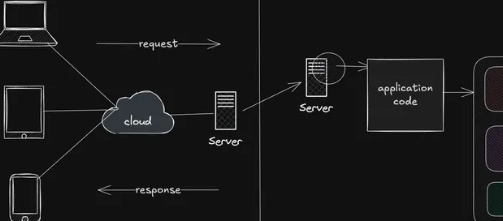
Web Application Architecture: Client-Server, MVC & Layered Architecture
Understand how web applications are structured using client-server architecture, MVC, layered architecture, and related patterns, and learn when each approach is useful.

Web Application Deployment: Vercel, Render, Docker & Cloud
Learn how to take web applications from local development to production using platforms like Vercel and Render, containerization with Docker, and modern cloud deployment platforms.

Version Control with Git & GitHub
Learn how developers track code changes, manage branches, collaborate, resolve conflicts, and maintain projects using Git and GitHub.

JavaScript Package Management: npm, pnpm & Yarn
Understand how JavaScript package managers handle dependencies, scripts, lockfiles, versions, and project environments using npm, pnpm, and Yarn.