APIs — REST, JSON & HTTP
Understand how frontend and backend applications communicate through APIs, with a focus on HTTP methods, REST principles, JSON data exchange, status codes, API requests, responses, and practical API consumption.

#REST#
REST API — Complete Guide (Interview Ready)
Read top to bottom once, then use the Interview Q&A (Section 20) and Cheat Sheet (Section 21) for revision.
Table of Contents
- What is an API?
- What is REST?
- The 6 REST Constraints
- Core Concepts: Resource, URI, Representation
- HTTP Basics (Request & Response)
- HTTP Methods
- Safe vs Idempotent Methods
- HTTP Status Codes
- Headers
- URI / Endpoint Design Best Practices
- Query Params vs Path Params vs Body
- Filtering, Sorting, Pagination
- Versioning
- Authentication & Authorization
- Security Best Practices
- Error Handling
- Caching
- Rate Limiting, HATEOAS, Richardson Maturity Model
- REST vs SOAP vs GraphQL vs gRPC
- Interview Q&A
- Cheat Sheet
- Practical Example (Node/Express)
- Testing & Documentation Tools
1. What is an API?
API (Application Programming Interface) is a contract that lets one software talk to another.
- Analogy: A restaurant. You (client) give an order to the waiter (API); the waiter takes it to the kitchen (server) and brings back food (response). You never enter the kitchen.
- Types: Web APIs (REST, SOAP, GraphQL), library APIs, OS APIs.
2. What is REST?
REST = REpresentational State Transfer.
- An architectural style (not a protocol, not a standard) proposed by Roy Fielding in his doctoral dissertation (2000).
- Works mostly over HTTP.
- A REST API (RESTful API) is a web API that follows REST principles.
- Client and server exchange representations of resources (usually JSON; also XML, HTML, etc.).
Key idea: Everything is a resource, identified by a URI, manipulated using standard HTTP methods, and the server stays stateless.
Client  ── HTTP Request (GET /users/1) ──▶  Server
Client  ◀── HTTP Response (200 + JSON) ──   Server
3. The 6 REST Architectural Constraints
| # | Constraint | Meaning |
|---|---|---|
| 1 | Client–Server | Separation of concerns. UI (client) and data/storage (server) evolve independently. |
| 2 | Stateless | Each request contains all info needed. Server stores no client session state between requests. |
| 3 | Cacheable | Responses must declare whether they are cacheable, to improve performance and scalability. |
| 4 | Uniform Interface | Consistent way of interacting (see below). The core of REST. |
| 5 | Layered System | Client doesn't know if it talks to the real server or a proxy / load balancer / gateway / CDN. |
| 6 | Code on Demand (optional) | Server can send executable code (e.g., JavaScript) to the client. |
Uniform Interface — 4 sub-constraints
- Resource identification via URIs (
/users/42) - Manipulation through representations (client gets JSON, modifies, sends back)
- Self-descriptive messages (headers like
Content-Typedescribe the body) - HATEOAS (Hypermedia as the Engine of Application State) — responses contain links to next actions
Stateless — why it matters
- ✅ Easy horizontal scaling (any server can handle any request)
- ✅ Simpler server, better reliability
- ❌ Slightly more data per request (e.g., token sent each time)
- Session data lives on the client (token) or in a shared store (DB/Redis), not in server memory.
4. Core Concepts
Resource
Any "thing" the API exposes: user, order, product, post. Identified by noun, not verb.
URI (Uniform Resource Identifier)
Address of a resource: https://api.example.com/v1/users/42
https://api.example.com/v1/users/42?fields=name,email
└─┬─┘   └──────┬──────┘└┬┘└──┬──┘└┬┘ └──────┬────────┘
scheme       host     version resource id   query string
Representation
The format of the resource sent over the wire (JSON/XML). Same resource, different representations (negotiated using Accept header).
{
  "id": 42,
  "name": "Rahul",
  "email": "rahul@example.com"
}
Collection vs Singleton resource
- Collection:
/users(many) - Singleton / item:
/users/42(one)
5. HTTP Basics
Request structure
POST /users HTTP/1.1                 ← Request line (method, path, version)
Host: api.example.com                ← Headers
Content-Type: application/json
Authorization: Bearer <token>

{ "name": "Rahul", "email": "r@x.com" }   ← Body (optional)
Response structure
HTTP/1.1 201 Created                 ← Status line
Content-Type: application/json       ← Headers
Location: /users/43

{ "id": 43, "name": "Rahul" }        ← Body
HTTP vs HTTPS
HTTPS = HTTP + TLS encryption. Always use HTTPS for APIs.
6. HTTP Methods
| Method | CRUD | Purpose | Request Body | Typical Success Code |
|---|---|---|---|---|
| GET | Read | Retrieve resource(s) | No | 200 |
| POST | Create | Create new resource / trigger action | Yes | 201 |
| PUT | Update/Replace | Replace entire resource (or create at known URI) | Yes | 200 / 204 |
| PATCH | Update | Partially update resource | Yes | 200 / 204 |
| DELETE | Delete | Remove resource | Usually no | 204 / 200 |
| HEAD | — | Same as GET but headers only, no body | No | 200 |
| OPTIONS | — | Which methods are allowed (used in CORS preflight) | No | 200 / 204 |
PUT vs PATCH
- PUT: send the full object; missing fields may be reset/removed.
- PATCH: send only changed fields.
PUT /users/42      { "name": "A", "email": "a@x.com", "age": 30 }   # full replace
PATCH /users/42    { "age": 31 }                                    # partial update
PUT vs POST
- POST: server decides the new URI (
POST /users→/users/43). Not idempotent. - PUT: client specifies the URI (
PUT /users/43). Idempotent.
Example CRUD mapping (users)
| Action | Method & URI |
|---|---|
| List all users | GET /users |
| Get one user | GET /users/42 |
| Create user | POST /users |
| Replace user | PUT /users/42 |
| Update partially | PATCH /users/42 |
| Delete user | DELETE /users/42 |
| Get a user's orders | GET /users/42/orders |
7. Safe vs Idempotent Methods
- Safe: does not modify server state.
- Idempotent: calling it once or many times gives the same server state.
| Method | Safe | Idempotent |
|---|---|---|
| GET | ✅ | ✅ |
| HEAD | ✅ | ✅ |
| OPTIONS | ✅ | ✅ |
| PUT | ❌ | ✅ |
| DELETE | ❌ | ✅ |
| POST | ❌ | ❌ |
| PATCH | ❌ | ❌ (not guaranteed) |
Why idempotency matters: safe retries on network failure. Calling DELETE /users/42 3 times leaves the same state (user gone), though the 2nd/3rd responses may be 404.
For non-idempotent operations like payments, use an Idempotency-Key header so retries don't double-charge.
8. HTTP Status Codes
1xx — Informational
100 Continue,101 Switching Protocols
2xx — Success
| Code | Meaning | When |
|---|---|---|
| 200 OK | Success | GET / PUT / PATCH success |
| 201 Created | Resource created | POST success (include Location header) |
| 202 Accepted | Accepted, processing async | Background jobs |
| 204 No Content | Success, no body | DELETE / PUT with no response body |
3xx — Redirection
| Code | Meaning |
|---|---|
| 301 Moved Permanently | Resource permanently moved |
| 302 Found | Temporary redirect |
| 304 Not Modified | Use cached copy (conditional GET with ETag) |
4xx — Client Errors
| Code | Meaning | When |
|---|---|---|
| 400 Bad Request | Malformed/invalid request | Bad JSON, missing fields |
| 401 Unauthorized | Not authenticated | Missing/invalid token |
| 403 Forbidden | Authenticated but not allowed | No permission |
| 404 Not Found | Resource doesn't exist | Wrong ID/URL |
| 405 Method Not Allowed | Method not supported on URI | DELETE /users disabled |
| 409 Conflict | State conflict | Duplicate email, version conflict |
| 415 Unsupported Media Type | Wrong Content-Type | Sent XML to JSON-only API |
| 422 Unprocessable Entity | Syntax OK but validation failed | Invalid email format |
| 429 Too Many Requests | Rate limit exceeded | Include Retry-After |
5xx — Server Errors
| Code | Meaning |
|---|---|
| 500 Internal Server Error | Generic server failure |
| 501 Not Implemented | Feature not supported |
| 502 Bad Gateway | Invalid response from upstream server |
| 503 Service Unavailable | Server down/overloaded |
| 504 Gateway Timeout | Upstream didn't respond in time |
401 vs 403 (very common question)
- 401 → "Who are you?" (authentication failed)
- 403 → "I know who you are, but you can't do this." (authorization failed)
400 vs 422
- 400 → request is malformed (can't even parse).
- 422 → parsed fine, but semantic/validation errors.
9. Important HTTP Headers
Request headers
| Header | Purpose |
|---|---|
Content-Type | Format of request body (application/json) |
Accept | Format client wants in response |
Authorization | Credentials (Bearer <token>, Basic ...) |
User-Agent | Client info |
If-None-Match / If-Modified-Since | Conditional requests (caching) |
Origin | Used in CORS |
Idempotency-Key | Safe retries for POST |
Response headers
| Header | Purpose |
|---|---|
Content-Type | Format of response body |
Location | URI of newly created resource (with 201) |
Cache-Control | Caching rules (max-age=3600, no-store) |
ETag | Version identifier of resource |
Retry-After | When to retry (429/503) |
Access-Control-Allow-Origin | CORS permission |
Set-Cookie | Set cookies |
Content negotiation
Client sends Accept: application/json; server responds with JSON or 406 Not Acceptable.
10. URI / Endpoint Design Best Practices
- Use nouns, not verbs — HTTP method is the verb.
- ✅
GET /users❌GET /getUsers
- ✅
- Use plural nouns for collections —
/users,/orders. - Use hierarchy to show relationships —
/users/42/orders/7.- Avoid nesting deeper than 2–3 levels.
- Lowercase letters and hyphens (kebab-case) —
/order-items✅,/orderItems❌,/order_items❌. - No trailing slash, no file extensions (
.json) — useAcceptheader. - Don't expose internals (DB table names, tech stack).
- Be consistent in naming and response structure.
- Use query params for filtering/sorting/pagination, not new endpoints.
- Return proper status codes — don't return
200for errors. - Non-CRUD actions: treat as sub-resource or use a verb sparingly
POST /orders/42/cancel(acceptable pragmatic approach)
✅ GET    /api/v1/users
✅ POST   /api/v1/users
✅ GET    /api/v1/users/42/orders
❌ POST   /api/v1/createUser
❌ GET    /api/v1/getAllUsers
11. Query Params vs Path Params vs Body
| Type | Example | Use for |
|---|---|---|
| Path param | /users/42 | Identify a specific resource |
| Query param | /users?role=admin&page=2 | Filter, sort, search, paginate (optional) |
| Request body | { "name": "A" } | Data to create/update |
| Header | Authorization: ... | Metadata, auth, content type |
12. Filtering, Sorting, Pagination
Filtering
GET /products?category=shoes&price_lt=2000
Sorting
GET /products?sort=price          # ascending
GET /products?sort=-price         # descending
Field selection
GET /users?fields=id,name
Searching
GET /users?q=rahul
Pagination — why? Avoid returning huge datasets.
1. Offset / Limit (Page-based)
GET /users?page=2&limit=20
GET /users?offset=20&limit=20
- ✅ Simple, supports jumping to page
- ❌ Slow on large data; inconsistent if data changes during paging
2. Cursor-based (Keyset)
GET /users?limit=20&cursor=eyJpZCI6MTAwfQ
- ✅ Fast, consistent, scalable (feeds, infinite scroll)
- ❌ Can't jump to arbitrary page
Sample paginated response
{
  "data": [ { "id": 1 }, { "id": 2 } ],
  "meta": { "page": 1, "limit": 20, "total": 240 },
  "links": { "next": "/users?page=2", "prev": null }
}
13. API Versioning
Why: introduce breaking changes without breaking existing clients.
| Strategy | Example | Notes |
|---|---|---|
| URI versioning | /v1/users | Most common, simple, cache-friendly |
| Query param | /users?version=1 | Easy but less clean |
| Header versioning | X-API-Version: 1 | Clean URIs |
| Media type (content negotiation) | Accept: application/vnd.myapi.v1+json | Most "RESTful", more complex |
Breaking changes: removing/renaming fields, changing types, changing behavior. Non-breaking: adding optional fields/new endpoints.
Also: deprecate gracefully (announce, Sunset header, give migration time).
14. Authentication & Authorization
- Authentication (AuthN): Who are you? (verify identity)
- Authorization (AuthZ): What are you allowed to do? (permissions)
Common methods
1. Basic Auth — Authorization: Basic base64(user:pass). Simple but weak; only over HTTPS.
2. API Keys — x-api-key: abc123. Good for identifying apps/services, not users.
3. Session/Cookie-based — Server stores session (stateful). Not purely RESTful.
4. Token-based (JWT — JSON Web Token) — Stateless, most popular.
Authorization: Bearer eyJhbGciOiJIUzI1NiIs...
JWT = header.payload.signature
- Header: algorithm/type
- Payload: claims (user id, role,
exp) - Signature: verifies integrity (signed with secret/private key)
- ⚠️ Payload is encoded, not encrypted — don't put secrets in it.
Access token + Refresh token
- Access token: short-lived (e.g., 15 min)
- Refresh token: long-lived, used to get new access tokens
5. OAuth 2.0 — Delegated authorization framework ("Login with Google"). Roles: Resource Owner, Client, Authorization Server, Resource Server.
6. OpenID Connect (OIDC) — Identity layer on top of OAuth 2.0.
Authorization models
- RBAC (Role-Based Access Control): admin / user / editor
- ABAC (Attribute-Based), ACL, Scopes (OAuth)
15. Security Best Practices
- ✅ Always use HTTPS/TLS
- ✅ Validate and sanitize all input (prevent SQL injection, NoSQL injection, XSS)
- ✅ Hash passwords (bcrypt/argon2) — never store plain text
- ✅ Rate limiting / throttling (prevent brute force & DDoS)
- ✅ CORS configured properly (don't use
*blindly in production) - ✅ Use security headers (Helmet in Express)
- ✅ Short-lived tokens, secure storage (HttpOnly cookies)
- ✅ Least privilege principle; check authorization on every request
- ✅ Don't leak info in errors (no stack traces / DB details)
- ✅ Don't put sensitive data in URLs (they get logged) — use body/headers
- ✅ Logging & monitoring, audit trails
- ✅ Prevent IDOR / BOLA (Broken Object Level Authorization): verify the user owns
/orders/42 - ✅ Follow OWASP API Security Top 10
CORS (Cross-Origin Resource Sharing)
Browser blocks requests to a different origin unless server allows via headers. For non-simple requests, browser sends a preflight OPTIONS request first.
16. Error Handling
Return consistent, meaningful errors with correct status code.
HTTP/1.1 422 Unprocessable Entity

{
  "status": 422,
  "error": "VALIDATION_ERROR",
  "message": "Invalid input data",
  "details": [
    { "field": "email", "message": "Email format is invalid" }
  ],
  "timestamp": "2026-10-03T10:00:00Z",
  "path": "/api/v1/users"
}
Tips
- Never return
200with an error body. - Keep a standard error format (consider RFC 7807 – Problem Details,
application/problem+json). - Don't expose stack traces to clients.
- Use a global error-handling middleware.
17. Caching
Improves performance, reduces server load/latency.
Cache-Control:public,private,max-age=3600,no-cache,no-storeETag+If-None-Match: server returns304 Not Modifiedif unchanged.Last-Modified+If-Modified-Since- Only GET (and HEAD) responses are typically cached.
- Layers: browser cache, CDN, reverse proxy (Nginx/Varnish), app cache (Redis).
Client: GET /users/42  If-None-Match: "abc123"
Server: 304 Not Modified   (no body)
no-cache= must revalidate before using;no-store= don't store at all.
18. Rate Limiting, HATEOAS & Richardson Maturity Model
Rate limiting
Limits requests per client/time window. Return 429 Too Many Requests with headers like X-RateLimit-Limit, X-RateLimit-Remaining, Retry-After.
Algorithms: Fixed window, Sliding window, Token bucket, Leaky bucket.
HATEOAS
Response includes links telling client what it can do next.
{
  "id": 42,
  "name": "Rahul",
  "_links": {
    "self":   { "href": "/users/42" },
    "orders": { "href": "/users/42/orders" },
    "delete": { "href": "/users/42", "method": "DELETE" }
  }
}
Richardson Maturity Model
| Level | Description |
|---|---|
| 0 | Single endpoint, HTTP as tunnel (like RPC/SOAP) |
| 1 | Multiple resources (separate URIs) |
| 2 | Proper HTTP verbs + status codes (most "REST APIs" are here) |
| 3 | HATEOAS (truly RESTful) |
Other topics worth knowing
- Idempotency keys for payments
- Bulk operations (
POST /users/bulk) - Long-running ops: return
202 Accepted+ status URL - File upload:
multipart/form-data - Webhooks: server → client callbacks
- API Gateway: single entry point (auth, routing, rate limit)
19. REST vs SOAP vs GraphQL vs gRPC
| Feature | REST | SOAP | GraphQL | gRPC |
|---|---|---|---|---|
| Type | Architectural style | Protocol | Query language | RPC framework |
| Format | JSON/XML/etc. | XML only | JSON | Protocol Buffers (binary) |
| Transport | HTTP | HTTP, SMTP, etc. | HTTP (single endpoint) | HTTP/2 |
| Endpoints | Many | Single | Single (/graphql) | Service methods |
| Over/Under-fetching | Possible | — | Solved (client picks fields) | — |
| Caching | Easy (HTTP) | Hard | Harder | Hard |
| Speed | Good | Slower | Good | Fastest |
| Best for | Public/CRUD APIs | Enterprise, banking | Complex/flexible client needs | Microservices |
20. Interview Questions & Answers
Q1. What is REST? An architectural style for designing networked applications using HTTP, where resources are identified by URIs and manipulated through standard methods, following constraints like statelessness and a uniform interface.
Q2. What does "stateless" mean? The server does not store client context between requests. Each request carries everything needed (e.g., auth token).
Q3. REST vs RESTful? REST is the style; RESTful describes a service that follows it.
Q4. Is REST a protocol? No — it's an architectural style, typically implemented on HTTP.
Q5. PUT vs PATCH? PUT replaces the entire resource (idempotent); PATCH partially updates.
Q6. PUT vs POST? POST creates (server picks URI, not idempotent); PUT creates/replaces at a client-known URI (idempotent).
Q7. What is idempotency? Which methods are idempotent? Repeating a request has the same effect as doing it once. GET, PUT, DELETE, HEAD, OPTIONS are idempotent; POST and (generally) PATCH are not.
Q8. Safe methods? Methods that don't change server state: GET, HEAD, OPTIONS.
Q9. 401 vs 403? 401 = unauthenticated; 403 = authenticated but not permitted.
Q10. 200 vs 201 vs 204? 200 = success with body; 201 = resource created; 204 = success with no body.
Q11. Which status code for validation errors? 400 or 422 (422 preferred for semantic validation errors).
Q12. Can GET have a request body? Technically allowed by spec but discouraged; many servers/proxies ignore it. Use query params.
Q13. How do you version an API?
URI (/v1), header, query param, or media-type versioning. URI versioning is most common.
Q14. How do you secure a REST API? HTTPS, JWT/OAuth2, input validation, rate limiting, CORS, hashing passwords, least privilege, security headers, no sensitive info in errors.
Q15. What is JWT? Where to store it? Signed token with header, payload, signature. Prefer HttpOnly + Secure cookies (XSS-safe) or memory; avoid localStorage for sensitive tokens.
Q16. Authentication vs Authorization? AuthN verifies identity; AuthZ decides permissions.
Q17. What is CORS?
Browser mechanism that restricts cross-origin requests unless the server permits via Access-Control-* headers.
Q18. What is HATEOAS? Responses include hyperlinks to related actions so clients discover the API dynamically.
Q19. Explain Richardson Maturity Model. Levels 0–3: single endpoint → resources → HTTP verbs/status codes → HATEOAS.
Q20. How do you implement pagination? Offset/limit or cursor-based; return metadata and next/prev links.
Q21. How does caching work in REST?
Cache-Control, ETag/If-None-Match, Last-Modified; GET responses cached by browser/CDN/proxy; 304 Not Modified saves bandwidth.
Q22. How to handle long-running tasks?
Return 202 Accepted with a status/polling URL (or use webhooks).
Q23. REST vs GraphQL? REST: multiple endpoints, fixed responses, easy caching. GraphQL: single endpoint, client specifies fields, avoids over/under-fetching.
Q24. How to make POST safely retryable? Use an Idempotency-Key header; server stores the result for that key.
Q25. What is an API Gateway? A single entry point handling routing, auth, rate limiting, logging, and aggregation for microservices.
Q26. How to design an endpoint for a non-CRUD action (e.g., cancel order)?
POST /orders/42/cancel or PATCH /orders/42 { "status": "cancelled" }.
Q27. What is content negotiation?
Client and server agree on representation via Accept / Content-Type headers.
Q28. Common REST API mistakes? Verbs in URIs, wrong status codes, inconsistent naming, no versioning, no pagination, exposing stack traces, no rate limiting.
Q29. What is the difference between a URI and a URL? URL is a type of URI that also tells where/how to access the resource. Every URL is a URI.
Q30. How do you handle concurrent updates?
Optimistic locking using ETag + If-Match header (412 Precondition Failed on mismatch) or a version field with 409 Conflict.
21. Quick Cheat Sheet
REST        = Architectural style over HTTP (Roy Fielding, 2000)
Constraints = Client-Server, Stateless, Cacheable, Uniform Interface,
              Layered System, (Code on Demand - optional)

GET     → read        (safe, idempotent)
POST    → create      (not idempotent)
PUT     → replace     (idempotent)
PATCH   → partial upd (not guaranteed idempotent)
DELETE  → remove      (idempotent)

200 OK | 201 Created | 204 No Content
400 Bad Req | 401 Unauth | 403 Forbidden | 404 Not Found
409 Conflict | 422 Unprocessable | 429 Too Many Req
500 Server Err | 502 Bad Gateway | 503 Unavailable | 504 Timeout

URI: nouns, plural, lowercase, hyphens, no verbs, max 2-3 nesting
Auth: JWT / OAuth2 over HTTPS
Pagination: offset/limit or cursor
Versioning: /v1/...
Cache: Cache-Control, ETag
22. Practical Example (Node/Express)
const express = require('express');
const app = express();
app.use(express.json());

let users = [{ id: 1, name: 'Rahul', email: 'rahul@example.com' }];

// GET all (with pagination)
app.get('/api/v1/users', (req, res) => {
  const page = parseInt(req.query.page) || 1;
  const limit = parseInt(req.query.limit) || 10;
  const start = (page - 1) * limit;
  res.status(200).json({
    data: users.slice(start, start + limit),
    meta: { page, limit, total: users.length },
  });
});

// GET one
app.get('/api/v1/users/:id', (req, res) => {
  const user = users.find(u => u.id === +req.params.id);
  if (!user) return res.status(404).json({ error: 'User not found' });
  res.status(200).json(user);
});

// POST create
app.post('/api/v1/users', (req, res) => {
  const { name, email } = req.body;
  if (!name || !email)
    return res.status(400).json({ error: 'name and email are required' });
  const user = { id: users.length + 1, name, email };
  users.push(user);
  res.status(201).location(`/api/v1/users/${user.id}`).json(user);
});

// PUT replace
app.put('/api/v1/users/:id', (req, res) => {
  const idx = users.findIndex(u => u.id === +req.params.id);
  if (idx === -1) return res.status(404).json({ error: 'User not found' });
  users[idx] = { id: +req.params.id, ...req.body };
  res.status(200).json(users[idx]);
});

// PATCH partial update
app.patch('/api/v1/users/:id', (req, res) => {
  const user = users.find(u => u.id === +req.params.id);
  if (!user) return res.status(404).json({ error: 'User not found' });
  Object.assign(user, req.body);
  res.status(200).json(user);
});

// DELETE
app.delete('/api/v1/users/:id', (req, res) => {
  const idx = users.findIndex(u => u.id === +req.params.id);
  if (idx === -1) return res.status(404).json({ error: 'User not found' });
  users.splice(idx, 1);
  res.status(204).send();
});

// Global error handler
app.use((err, req, res, next) => {
  console.error(err);
  res.status(500).json({ error: 'Internal Server Error' });
});

app.listen(3000, () => console.log('Server running on port 3000'));
23. Testing & Documentation Tools
- Testing/Calling APIs: Postman, Insomnia, cURL, Thunder Client (VS Code)
- Automated tests: Jest + Supertest, Mocha/Chai, REST Assured
- Documentation: OpenAPI (Swagger) spec, Swagger UI, Redoc
- Mocking: JSON Server, Mockoon, WireMock
# cURL examples
curl -X GET    http://localhost:3000/api/v1/users
curl -X POST   http://localhost:3000/api/v1/users \
     -H "Content-Type: application/json" \
     -d '{"name":"Amit","email":"amit@example.com"}'
curl -X DELETE http://localhost:3000/api/v1/users/1
Revision Checklist
- Can I define REST and list the 6 constraints?
- Can I explain stateless, idempotent, safe?
- Do I know PUT vs PATCH vs POST?
- Do I remember key status codes (esp. 401 vs 403, 400 vs 422)?
- Can I design clean URIs for any resource?
- Can I explain pagination, versioning, caching?
- Can I explain JWT, OAuth2, CORS, and API security basics?
- Can I explain the Richardson Maturity Model and HATEOAS?
- Can I build a basic CRUD API in Express?
Good luck with your interview! 🚀
#JSON & HTTP#
JSON & HTTP API — Complete Interview-Ready Guide
Read top to bottom once, then use the Interview Q&A and Cheat Sheet sections for revision.
Table of Contents
- Big Picture
- Part A — JSON
- Part B — HTTP
- Part C — Web APIs & REST
- Authentication & Authorization
- API Security
- Other API Styles
- Hands-on Examples
- Interview Q&A
- Cheat Sheet
1. Big Picture
When you open an app and it shows your orders, this happens:
Client (browser / mobile app)
   │  HTTP Request  (method + URL + headers + JSON body)
   ▼
Server (Node/Express, Java, Python ...)
   │  talks to Database, other services
   ▼
   │  HTTP Response (status code + headers + JSON body)
   ▼
Client renders data
| Piece | Role |
|---|---|
| API (Application Programming Interface) | The contract — what requests a server accepts and what it returns |
| HTTP | The protocol (rules) used to carry requests/responses over the web |
| JSON | The data format used inside the request/response body |
One-line summary: An HTTP API lets two programs talk over the web using HTTP rules, usually exchanging data as JSON.
2. Part A — JSON
2.1 What is JSON?
- JSON = JavaScript Object Notation.
- A lightweight, text-based, language-independent data-interchange format.
- Human-readable and easy for machines to parse.
- Derived from JavaScript object syntax, but supported by almost every language.
- MIME type:
application/json. File extension:.json. - Specified by RFC 8259 / ECMA-404. Always UTF-8.
2.2 Syntax Rules
{
  "name": "Aman",
  "age": 24,
  "isStudent": false,
  "skills": ["JavaScript", "Node.js"],
  "address": { "city": "Bhopal", "pin": "462001" },
  "spouse": null
}
Rules (very common interview question):
- Data is in key/value pairs.
- Keys must be strings in double quotes (
"name", notnameor'name'). - Strings must use double quotes — single quotes are invalid.
- Values are separated by commas; no trailing comma allowed.
- No comments allowed.
- Objects use
{ }, arrays use[ ]. - Top-level value can be an object, array, string, number, boolean or null.
2.3 Data Types in JSON (only 6)
| Type | Example | Notes |
|---|---|---|
| String | "hello" | Double quotes only |
| Number | 10, -3.5, 1e3 | No NaN, Infinity, no leading zeros, no hex |
| Boolean | true, false | Lowercase |
| Null | null | Lowercase |
| Object | { "a": 1 } | Unordered key/value collection |
| Array | [1, 2, 3] | Ordered list, can mix types |
NOT supported: undefined, functions, Date, Map, Set, RegExp, BigInt, comments.
Dates are sent as ISO-8601 strings: "2026-10-03T10:30:00Z".
2.4 JSON vs JavaScript Object
| JSON | JS Object |
|---|---|
| Text/string format | In-memory data structure |
| Keys must be double-quoted | Keys can be unquoted / symbols |
| Only 6 data types | Can hold functions, undefined, Date, etc. |
| No comments, no trailing commas | Both allowed |
| Language independent | JS specific |
2.5 JSON vs XML vs YAML
| JSON | XML | YAML | |
|---|---|---|---|
| Readability | Good | Verbose | Best |
| Size | Small | Large (closing tags) | Small |
| Comments | No | Yes | Yes |
| Arrays | Native | Awkward | Native |
| Parsing speed | Fast | Slower | Slower |
| Typical use | Web APIs | SOAP, legacy, config | Config (Docker, K8s, CI) |
2.6 Working with JSON in JavaScript
const obj = { name: "Aman", age: 24 };

// Object -> JSON string  (serialization / marshalling)
const str = JSON.stringify(obj);          // '{"name":"Aman","age":24}'

// JSON string -> Object  (deserialization / parsing)
const back = JSON.parse(str);             // { name: 'Aman', age: 24 }
Pretty print: JSON.stringify(obj, null, 2) (third arg = indentation).
JSON.stringify(value, replacer, space)
// replacer as array -> whitelist keys
JSON.stringify({ a: 1, b: 2, c: 3 }, ["a", "c"]);      // {"a":1,"c":3}

// replacer as function -> transform values
JSON.stringify({ a: 1, pwd: "x" }, (k, v) => k === "pwd" ? undefined : v);
JSON.parse(text, reviver)
JSON.parse('{"d":"2026-10-03T00:00:00Z"}', (k, v) =>
  k === "d" ? new Date(v) : v
);
Custom serialization with toJSON()
const user = { name: "A", toJSON() { return { n: this.name }; } };
JSON.stringify(user); // {"n":"A"}
2.7 Gotchas (Interview Favorites)
| Case | Result of JSON.stringify |
|---|---|
undefined, function, Symbol as object value | Property is omitted |
undefined, function in array | Becomes null |
NaN, Infinity | null |
Date | ISO string (via Date.prototype.toJSON) |
Map, Set | {} (empty object) |
BigInt | Throws TypeError |
| Circular reference | Throws TypeError |
JSON.stringify({ a: undefined, b: () => {}, c: NaN, d: [undefined] });
// '{"c":null,"d":[null]}'
JSON.parseon invalid JSON throwsSyntaxError→ always wrap in try/catch when input is external.- Deep clone trick:
JSON.parse(JSON.stringify(obj))— loses Dates, functions, undefined, Map/Set. PreferstructuredClone(obj)(modern). - Large integers (> 2^53 − 1) lose precision in JS → send them as strings.
2.8 JSON Schema (Validation)
Describes and validates the structure of JSON.
{
  "type": "object",
  "properties": {
    "name": { "type": "string", "minLength": 2 },
    "age":  { "type": "integer", "minimum": 0 }
  },
  "required": ["name"]
}
Libraries: ajv (JS), zod, joi, yup.
2.9 Related Formats
- JSON Lines / NDJSON — one JSON object per line; good for logs and streaming.
- JSON5 / JSONC — JSON with comments / relaxed syntax (config files like
tsconfig.json). - BSON — binary JSON used by MongoDB (supports Date, binary, ObjectId).
- JWT — three Base64URL-encoded JSON parts (
header.payload.signature). - JSON:API / HAL — conventions for structuring JSON API responses.
3. Part B — HTTP
3.1 What is HTTP?
- HyperText Transfer Protocol — application-layer protocol for client–server communication.
- Runs on top of TCP (HTTP/1.x, 2) or QUIC/UDP (HTTP/3).
- Default ports: 80 (HTTP), 443 (HTTPS).
- Request–response model: client always initiates.
- Stateless: each request is independent; server doesn't remember previous requests (state is added via cookies, tokens, sessions).
- Text-based in 1.x; binary framing in 2/3.
3.2 URL Anatomy
https://api.example.com:443/v1/users/42?active=true&sort=name#section
└─┬──┘   └──────┬──────┘└┬┘└────┬────┘└──────────┬─────────┘└──┬──┘
scheme        host    port   path           query string     fragment
- Path params:
/users/42→ identify a specific resource. - Query params:
?active=true&sort=name→ filter/sort/paginate. - Fragment (
#) is never sent to the server. - Special characters must be percent-encoded (
space→%20).
3.3 HTTP Versions
| Version | Key features |
|---|---|
| HTTP/1.0 | New TCP connection per request |
| HTTP/1.1 | Persistent connections (keep-alive), Host header, chunked transfer, pipelining (rarely used). Suffers head-of-line blocking |
| HTTP/2 | Binary, multiplexing (many requests on one connection), header compression (HPACK), server push |
| HTTP/3 | Runs on QUIC (UDP), faster handshake, fixes TCP-level head-of-line blocking |
3.4 Request Structure
POST /v1/users HTTP/1.1                 ← Request line (method, path, version)
Host: api.example.com                   ┐
Content-Type: application/json          │ Headers
Authorization: Bearer eyJhbGciOi...     │
Accept: application/json                ┘
                                        ← blank line
{ "name": "Aman", "email": "a@x.com" }  ← Body (optional)
3.5 Response Structure
HTTP/1.1 201 Created                    ← Status line (version, code, reason)
Content-Type: application/json          ┐ Headers
Location: /v1/users/42                  ┘

{ "id": 42, "name": "Aman" }            ← Body
3.6 HTTP Methods
| Method | Purpose | Has Body? | Safe | Idempotent |
|---|---|---|---|---|
| GET | Read a resource | No | ✅ | ✅ |
| POST | Create / trigger action | Yes | ❌ | ❌ |
| PUT | Replace a resource fully (or create at known URL) | Yes | ❌ | ✅ |
| PATCH | Partially update a resource | Yes | ❌ | ❌ (usually) |
| DELETE | Remove a resource | Optional | ❌ | ✅ |
| HEAD | Like GET but headers only | No | ✅ | ✅ |
| OPTIONS | Ask server what's allowed (CORS preflight) | No | ✅ | ✅ |
Definitions (must memorize):
- Safe = does not modify server state (read-only).
- Idempotent = making the same request N times has the same effect on server state as making it once.
DELETE /users/5twice → user is gone either way (second may return 404, but state is the same).POST /orderstwice → two orders created → not idempotent.
PUT vs PATCH vs POST
| PUT | PATCH | POST | |
|---|---|---|---|
| Meaning | Replace whole resource | Modify some fields | Create child / run action |
| Send | Complete representation | Only changed fields | Data for new resource |
| Idempotent | Yes | Not guaranteed | No |
Note: GET can technically have a body, but it is discouraged and many servers/proxies ignore it.
3.7 Status Codes
| Range | Meaning |
|---|---|
| 1xx | Informational |
| 2xx | Success |
| 3xx | Redirection |
| 4xx | Client error |
| 5xx | Server error |
Must-know codes:
| Code | Name | When to use |
|---|---|---|
| 100 | Continue | Client may send body |
| 101 | Switching Protocols | Upgrade to WebSocket |
| 200 | OK | Successful GET/PUT/PATCH |
| 201 | Created | Resource created (POST); include Location header |
| 202 | Accepted | Request accepted, processing async |
| 204 | No Content | Success, no body (DELETE, PUT) |
| 301 | Moved Permanently | URL changed forever (cached) |
| 302 | Found | Temporary redirect |
| 304 | Not Modified | Cached copy is still valid (ETag) |
| 307 / 308 | Temp / Permanent Redirect | Redirect preserving method |
| 400 | Bad Request | Malformed syntax / invalid input |
| 401 | Unauthorized | Not authenticated (missing/invalid credentials) |
| 403 | Forbidden | Authenticated but not allowed |
| 404 | Not Found | Resource doesn't exist |
| 405 | Method Not Allowed | e.g. DELETE on a read-only endpoint |
| 409 | Conflict | Duplicate, version conflict |
| 410 | Gone | Resource permanently removed |
| 415 | Unsupported Media Type | Wrong Content-Type |
| 422 | Unprocessable Entity | Valid syntax but failed validation |
| 429 | Too Many Requests | Rate limit hit (Retry-After) |
| 500 | Internal Server Error | Unhandled server bug |
| 501 | Not Implemented | Feature not supported |
| 502 | Bad Gateway | Upstream server returned bad response |
| 503 | Service Unavailable | Overloaded / maintenance |
| 504 | Gateway Timeout | Upstream didn't respond in time |
401 vs 403 (classic): 401 = "who are you?" · 403 = "I know who you are, but you can't do this."
3.8 Important Headers
Request headers
| Header | Purpose |
|---|---|
Host | Target domain (mandatory in HTTP/1.1) |
Accept | Response formats client understands (application/json) |
Content-Type | Format of the request body |
Authorization | Credentials (Bearer <token>, Basic ...) |
User-Agent | Client identity |
Cookie | Cookies sent to server |
Origin | Where the request came from (CORS) |
Accept-Encoding | Compression supported (gzip, br) |
If-None-Match / If-Modified-Since | Conditional requests (caching) |
Response headers
| Header | Purpose |
|---|---|
Content-Type | Format of the response body |
Content-Length | Body size in bytes |
Set-Cookie | Store a cookie in client |
Location | URL of new resource / redirect target |
Cache-Control | Caching rules |
ETag / Last-Modified | Cache validators |
Access-Control-Allow-Origin | CORS permission |
Retry-After | When to retry (429/503) |
WWW-Authenticate | How to authenticate (with 401) |
Strict-Transport-Security | Force HTTPS (HSTS) |
Common Content-Type values
application/jsonapplication/x-www-form-urlencodedmultipart/form-data(file uploads)text/html,text/plainapplication/xml,application/octet-stream
Accept vs Content-Type: Accept = what I want back; Content-Type = what I'm sending.
3.9 Content Negotiation
Client states preferences (Accept, Accept-Language, Accept-Encoding); server picks the best match and replies with matching Content-Type. If it cannot satisfy → 406 Not Acceptable.
3.10 Cookies, Sessions & State
HTTP is stateless, so state is maintained by:
| Mechanism | Stored at | Notes |
|---|---|---|
| Cookie | Browser | Sent automatically with each request to that domain |
| Session | Server (id in cookie) | Server stores user data; cookie holds session id |
| Token (JWT) | Client (memory/storage) | Self-contained; server stays stateless |
Cookie attributes: HttpOnly (JS can't read → XSS protection), Secure (HTTPS only), SameSite=Strict|Lax|None (CSRF protection), Max-Age/Expires, Domain, Path.
3.11 Caching
Cache-Control: max-age=3600→ cache for 1 hour.Cache-Control: no-store→ never store.no-cache→ store but revalidate before use.public(CDN may cache) vsprivate(browser only).- Validation flow:
- Server sends
ETag: "abc123". - Client later sends
If-None-Match: "abc123". - Unchanged → server replies 304 Not Modified (no body, saves bandwidth).
- Server sends
- Typically only GET (and HEAD) responses are cached.
3.12 CORS (Cross-Origin Resource Sharing)
- Same-Origin Policy: browsers block JS on
a.comfrom reading responses fromb.com. - Origin = scheme + host + port.
http://a.com≠https://a.com≠http://a.com:3000. - CORS lets servers opt in via headers:
Access-Control-Allow-Origin: https://myapp.comAccess-Control-Allow-Methods,Access-Control-Allow-HeadersAccess-Control-Allow-Credentials: true
- Preflight: for "non-simple" requests (PUT/DELETE, custom headers,
Content-Type: application/json) the browser first sends an OPTIONS request; the actual request goes only if allowed. - CORS is enforced by the browser, not the server. Postman/curl ignore it.
Allow-Origin: *cannot be used together with credentials.
3.13 HTTPS / TLS
- HTTPS = HTTP over TLS (encrypted, authenticated, tamper-proof).
- Gives confidentiality, integrity, server authentication (via certificates).
- Simplified handshake: client hello → server certificate → key exchange → symmetric session key → encrypted traffic.
- HSTS forces browsers to always use HTTPS.
3.14 Other Concepts
- Persistent connection (keep-alive): reuse one TCP connection for multiple requests.
- Compression:
Content-Encoding: gzip | br. - Chunked transfer: stream body in pieces (
Transfer-Encoding: chunked). - Proxy / Reverse proxy / Load balancer / CDN / API Gateway: intermediaries between client and server (e.g., Nginx).
- Redirects: 301/302/307/308 with
Locationheader. - Timeouts & retries: retry only idempotent requests safely; use exponential backoff.
- Long polling, SSE, WebSocket: ways to get server-to-client updates (see Section 7).
4. Part C — Web APIs & REST
4.1 What is an API?
An API is a contract that defines how software components communicate. A Web API exposes functionality over HTTP.
Types by audience: Public/Open, Partner, Private/Internal, Composite.
4.2 What is REST?
- REST = Representational State Transfer (Roy Fielding, 2000 dissertation).
- An architectural style, not a protocol or standard.
- Resources are identified by URLs, manipulated via HTTP methods, and transferred as representations (usually JSON).
- An API following REST is called RESTful.
4.3 Six REST Constraints
| # | Constraint | Meaning |
|---|---|---|
| 1 | Client–Server | Separation of UI and data/logic; evolve independently |
| 2 | Stateless | Each request carries all info needed; no server-side client session |
| 3 | Cacheable | Responses declare if they can be cached |
| 4 | Uniform Interface | Consistent resource URIs, standard methods, self-descriptive messages, HATEOAS |
| 5 | Layered System | Client doesn't know if it talks to the real server or an intermediary |
| 6 | Code on Demand (optional) | Server can send executable code (e.g., JS) |
HATEOAS (Hypermedia As The Engine Of Application State): responses include links to next possible actions.
{
  "id": 42,
  "status": "pending",
  "_links": {
    "self":   { "href": "/orders/42" },
    "cancel": { "href": "/orders/42/cancel", "method": "POST" }
  }
}
Richardson Maturity Model: Level 0 (single endpoint, RPC style) → Level 1 (resources) → Level 2 (HTTP verbs + status codes) → Level 3 (HATEOAS). Most "REST APIs" in industry are Level 2.
4.4 Resource Naming Best Practices
- Use nouns, not verbs; use plural:
/users,/orders. - Use lowercase and hyphens:
/order-items(not/orderItems). - Express hierarchy:
/users/42/orders/7. - Don't nest too deep (max ~2 levels).
- No file extensions, no trailing slash.
| ❌ Bad | ✅ Good |
|---|---|
GET /getAllUsers | GET /users |
POST /createUser | POST /users |
POST /deleteUser/5 | DELETE /users/5 |
GET /user?id=5 | GET /users/5 |
4.5 CRUD → HTTP Mapping
| Operation | Method | URL | Success code |
|---|---|---|---|
| Create | POST | /users | 201 |
| Read all | GET | /users | 200 |
| Read one | GET | /users/42 | 200 |
| Replace | PUT | /users/42 | 200 / 204 |
| Update partial | PATCH | /users/42 | 200 |
| Delete | DELETE | /users/42 | 204 |
4.6 Filtering, Sorting, Searching, Field Selection
GET /products?category=books&minPrice=100        # filter
GET /products?sort=-price,name                    # sort (- = desc)
GET /products?q=javascript                        # search
GET /products?fields=id,name,price                # sparse fieldset
4.7 Pagination
| Type | Example | Pros | Cons |
|---|---|---|---|
| Offset / Limit (page-based) | ?page=3&limit=20 or ?offset=40&limit=20 | Simple, jump to any page | Slow on huge tables; inconsistent if data changes |
| Cursor-based | ?limit=20&cursor=eyJpZCI6NDJ9 | Fast, stable, scalable | Can't jump to page N |
| Keyset | ?after_id=42&limit=20 | Very efficient with index | Needs sortable unique key |
{
  "data": [ ... ],
  "meta": { "page": 3, "limit": 20, "total": 240 },
  "links": { "next": "/products?page=4&limit=20" }
}
4.8 API Versioning
| Strategy | Example |
|---|---|
| URI path (most common) | /v1/users |
| Query param | /users?version=1 |
| Header | X-API-Version: 1 |
| Content negotiation | Accept: application/vnd.myapp.v1+json |
Avoid breaking changes inside a version. Deprecate with notice (Deprecation / Sunset headers).
4.9 Designing Responses & Error Handling
Success (consistent envelope):
{ "data": { "id": 42, "name": "Aman" } }
Error — use proper status code + structured body:
{
  "error": {
    "code": "VALIDATION_ERROR",
    "message": "Email is invalid",
    "details": [{ "field": "email", "issue": "must be a valid email" }]
  }
}
Standard format: RFC 7807 / 9457 application/problem+json (type, title, status, detail, instance).
Rules:
- Never return
200 OKwith an error inside the body. - Never leak stack traces or internal details.
- Use a consistent JSON structure and camelCase (or snake_case — be consistent).
4.10 Idempotency & Safe Retries
- For non-idempotent operations (e.g., payments), clients send an
Idempotency-Keyheader (UUID). Server stores the result and returns the same response if the key repeats. - Prevents double charges on network retries.
4.11 Rate Limiting & Throttling
- Protects server from abuse/overload.
- Return 429 with headers:
Retry-After,X-RateLimit-Limit,X-RateLimit-Remaining,X-RateLimit-Reset. - Algorithms: Fixed window, Sliding window, Token bucket, Leaky bucket.
4.12 Documentation & Tooling
- OpenAPI (Swagger) — standard machine-readable API spec (YAML/JSON); generates docs, client SDKs, mocks.
- Tools: Postman, Insomnia, curl, Swagger UI, Thunder Client.
- Testing: unit + integration (
jest,supertest), contract testing (Pact), load testing (k6, JMeter).
4.13 Synchronous vs Asynchronous Patterns
- Polling — client repeatedly asks "any update?" (simple, wasteful).
- Long polling — server holds request until data is available.
- Webhooks — server calls your URL when an event occurs (e.g., Stripe payment success). Verify signatures!
- 202 Accepted + status URL — for long jobs: return
202withLocation: /jobs/123, client polls that.
5. Authentication & Authorization
- Authentication (AuthN) = Who are you?
- Authorization (AuthZ) = What are you allowed to do?
| Method | How it works | Notes |
|---|---|---|
| Basic Auth | Authorization: Basic base64(user:pass) | Base64 ≠ encryption; use only over HTTPS |
| API Key | Key in header (X-API-Key) or query | Identifies the app, not the user; keep out of URLs |
| Session + Cookie | Server stores session; cookie has ID | Stateful; good for browser apps |
| Bearer Token / JWT | Authorization: Bearer <token> | Stateless; scalable |
| OAuth 2.0 | Delegated access via access tokens ("Login with Google") | Authorization framework |
| OpenID Connect (OIDC) | Identity layer on top of OAuth 2.0 | Gives ID token (who the user is) |
JWT (JSON Web Token)
header.payload.signature (each part Base64URL-encoded)
// header
{ "alg": "HS256", "typ": "JWT" }
// payload (claims)
{ "sub": "42", "role": "admin", "iat": 1760000000, "exp": 1760003600 }
- Signature ensures integrity (not secrecy!) — payload is readable by anyone; never store passwords/secrets in it.
- Claims:
sub,iat,exp,iss,aud. - Access token (short-lived, ~15 min) + Refresh token (long-lived, stored securely) pattern.
- Signing: HS256 (shared secret) vs RS256 (private/public key pair).
- Downside: hard to revoke before expiry → keep short expiry, maintain blocklist, or rotate refresh tokens.
OAuth 2.0 Roles & Flow (Authorization Code)
Roles: Resource Owner (user), Client (app), Authorization Server, Resource Server (API). Flow: user redirected to auth server → logs in & consents → app receives authorization code → exchanges it for access token → calls API. Use PKCE for SPAs/mobile.
Where to store tokens in browser?
| Place | Risk |
|---|---|
localStorage | Readable by JS → vulnerable to XSS |
HttpOnly + Secure + SameSite cookie | Safer from XSS; need CSRF protection |
6. API Security
Checklist (aligned with OWASP API Security Top 10):
- Always use HTTPS.
- Authenticate & authorize every request — check ownership (prevent BOLA/IDOR: user A accessing
/orders/99that belongs to B). - Validate & sanitize all input (schema validation) — prevents SQL/NoSQL injection, XSS.
- Use parameterized queries / ORM.
- Rate limit & throttle; add request size limits.
- Configure CORS strictly (no wildcard with credentials).
- Don't expose sensitive data (return only needed fields; hide password hashes, internal IDs).
- Hash passwords with bcrypt/argon2 (never plain text, never fast hashes like MD5).
- Security headers:
helmetin Express, HSTS,X-Content-Type-Options. - Proper error messages — generic to clients, detailed in server logs.
- Logging & monitoring, secrets in env variables (never in code/Git).
- CSRF protection when using cookie-based auth (SameSite cookies, CSRF tokens).
- Mass assignment protection — whitelist fields accepted from body.
- Keep dependencies updated.
7. Other API Styles (GraphQL, gRPC, SOAP, WebSocket)
| REST | GraphQL | gRPC | SOAP | WebSocket | |
|---|---|---|---|---|---|
| Format | JSON (usually) | JSON | Protobuf (binary) | XML | Any |
| Endpoints | Many | Single /graphql | Service methods | Single | Single persistent |
| Transport | HTTP/1.1+ | HTTP | HTTP/2 | HTTP/SMTP | TCP (after HTTP upgrade) |
| Over/under-fetching | Common problem | Solved (client picks fields) | N/A | N/A | N/A |
| Caching | Easy (HTTP) | Harder | Harder | Hard | N/A |
| Best for | Public CRUD APIs | Complex/nested data, mobile | Microservices, low latency | Enterprise/legacy | Real-time chat, games |
- Server-Sent Events (SSE): one-way server → client stream over HTTP (notifications, live feeds).
- WebSocket: full-duplex, persistent; starts with HTTP
Upgrade(101 Switching Protocols).
8. Hands-on Examples
8.1 curl
# GET
curl https://api.example.com/v1/users

# GET with header
curl -H "Authorization: Bearer TOKEN" https://api.example.com/v1/users/42

# POST JSON
curl -X POST https://api.example.com/v1/users \
  -H "Content-Type: application/json" \
  -d '{"name":"Aman","email":"a@x.com"}'

# PATCH / DELETE
curl -X PATCH  https://api.example.com/v1/users/42 -H "Content-Type: application/json" -d '{"name":"New"}'
curl -X DELETE https://api.example.com/v1/users/42

# Show response headers too
curl -i https://api.example.com/v1/users
8.2 JavaScript fetch
// GET
const res = await fetch("https://api.example.com/v1/users");
if (!res.ok) throw new Error(`HTTP ${res.status}`);   // fetch does NOT throw on 4xx/5xx!
const data = await res.json();

// POST
const res2 = await fetch("https://api.example.com/v1/users", {
  method: "POST",
  headers: {
    "Content-Type": "application/json",
    Authorization: `Bearer ${token}`,
  },
  body: JSON.stringify({ name: "Aman", email: "a@x.com" }),
});
const created = await res2.json();
fetchonly rejects on network failure; HTTP errors (404/500) resolve normally → always checkres.ok. Axios differs: it throws on non-2xx by default and auto-parses JSON.
8.3 Minimal REST API with Express
const express = require("express");
const app = express();
app.use(express.json());                 // parse JSON request bodies

let users = [{ id: 1, name: "Aman" }];

// READ all (with filtering)
app.get("/v1/users", (req, res) => {
  const { name } = req.query;
  const result = name ? users.filter(u => u.name.includes(name)) : users;
  res.status(200).json({ data: result });
});

// READ one
app.get("/v1/users/:id", (req, res) => {
  const user = users.find(u => u.id === Number(req.params.id));
  if (!user) return res.status(404).json({ error: { message: "User not found" } });
  res.json({ data: user });
});

// CREATE
app.post("/v1/users", (req, res) => {
  const { name } = req.body;
  if (!name) return res.status(400).json({ error: { message: "name is required" } });
  const user = { id: Date.now(), name };
  users.push(user);
  res.status(201).location(`/v1/users/${user.id}`).json({ data: user });
});

// UPDATE (partial)
app.patch("/v1/users/:id", (req, res) => {
  const user = users.find(u => u.id === Number(req.params.id));
  if (!user) return res.status(404).json({ error: { message: "User not found" } });
  Object.assign(user, { name: req.body.name ?? user.name });
  res.json({ data: user });
});

// DELETE
app.delete("/v1/users/:id", (req, res) => {
  users = users.filter(u => u.id !== Number(req.params.id));
  res.status(204).send();
});

// Centralized error handler
app.use((err, req, res, next) => {
  console.error(err);
  res.status(500).json({ error: { message: "Internal Server Error" } });
});

app.listen(3000);
Request → Response walkthrough
POST /v1/users  {"name":"Riya"}
→ 201 Created
  Location: /v1/users/1760000000000
  {"data":{"id":1760000000000,"name":"Riya"}}
9. Interview Q&A
JSON
1. What is JSON? Why is it popular? A lightweight, text-based, language-independent data format. Popular because it's human-readable, compact, natively supported in JavaScript, and has parsers in every language.
2. Difference between JSON and a JavaScript object?
JSON is a string format with strict rules (double-quoted keys, 6 types, no comments/functions). A JS object is an in-memory structure that can hold functions, undefined, Dates, etc.
3. What does JSON.stringify do with undefined, functions, and NaN?
Omits them in objects, converts to null in arrays; NaN/Infinity become null.
4. How do you deep clone using JSON? What are the limitations?
JSON.parse(JSON.stringify(obj)). Loses Dates (become strings), functions, undefined, Map/Set, and fails on circular references. Use structuredClone.
5. How do you handle invalid JSON?
Wrap JSON.parse in try/catch; it throws SyntaxError. Validate with JSON Schema/zod.
6. How do you send a Date in JSON?
As an ISO-8601 string ("2026-10-03T10:00:00Z") and convert on the receiving side.
7. JSON vs XML? JSON is lighter, faster to parse, supports arrays natively; XML supports attributes, comments, namespaces, schemas, and is more verbose.
8. What is JSON Schema? A vocabulary for describing and validating JSON structure (types, required fields, ranges).
HTTP
9. What is HTTP? Is it stateless? Application-layer request–response protocol. Stateless — each request is independent; state is maintained with cookies/sessions/tokens.
10. Explain the structure of an HTTP request and response. Request: request line + headers + blank line + optional body. Response: status line + headers + blank line + optional body.
11. GET vs POST? GET retrieves data, is safe, idempotent, cacheable, parameters in URL. POST creates/submits data in the body, not idempotent, not cached by default.
12. PUT vs PATCH? PUT replaces the entire resource (idempotent); PATCH applies partial changes.
13. What are idempotent and safe methods? Safe = no state change (GET, HEAD, OPTIONS). Idempotent = repeated calls have same effect (GET, PUT, DELETE, HEAD, OPTIONS).
14. Is DELETE idempotent even though the second call returns 404? Yes — idempotency concerns server state, not the response code. The resource is gone either way.
15. 401 vs 403? 401: not authenticated. 403: authenticated but lacks permission.
16. 400 vs 422? 400: malformed/invalid request. 422: syntactically correct but semantically invalid (validation failed).
17. 200 vs 201 vs 204?
200 OK with body; 201 resource created (with Location); 204 success with no body.
18. 301 vs 302? 301: permanent (browsers/search engines cache it). 302: temporary.
19. 500 vs 502 vs 503 vs 504? 500: app bug. 502: bad response from upstream. 503: unavailable/overloaded. 504: upstream timeout.
20. What is CORS? What is a preflight request?
Browser mechanism to allow cross-origin requests when the server opts in using Access-Control-* headers. Preflight is an automatic OPTIONS request for non-simple requests to check permissions first.
21. Why do I get a CORS error in browser but not in Postman? CORS is enforced by browsers only; Postman/curl don't apply the same-origin policy.
22. HTTP vs HTTPS? HTTPS = HTTP + TLS: encryption, integrity, server authentication. Uses port 443.
23. HTTP/1.1 vs HTTP/2 vs HTTP/3? 1.1: text, keep-alive, head-of-line blocking. 2: binary, multiplexing, header compression. 3: QUIC over UDP, faster, no TCP HOL blocking.
24. What are cookies? Explain HttpOnly, Secure, SameSite. Small data stored by browser and sent with each request. HttpOnly blocks JS access (XSS), Secure = HTTPS only, SameSite restricts cross-site sending (CSRF).
25. Cookies vs sessions vs JWT? Cookie lives in browser; session data lives on server (id in cookie); JWT is a self-contained signed token, enabling stateless servers.
26. How does HTTP caching work?
Cache-Control sets lifetime; ETag/Last-Modified allow revalidation with If-None-Match / If-Modified-Since, returning 304 if unchanged.
27. no-cache vs no-store?
no-cache = may store but must revalidate. no-store = never store.
28. What happens when you type a URL in the browser? DNS lookup → TCP connection (and TLS handshake for HTTPS) → HTTP request → server processes → response → browser renders (fetching more resources).
29. Content-Type vs Accept?
Content-Type describes the body being sent; Accept tells the server which response formats the client prefers.
30. What is keep-alive? Reusing the same TCP connection for multiple HTTP requests to avoid repeated handshakes.
REST / API Design
31. What is REST? What are its constraints? Architectural style for distributed systems: client–server, stateless, cacheable, uniform interface, layered system, optional code on demand.
32. What does "stateless" mean in REST? The server stores no client context between requests; every request contains all information needed (e.g., token).
33. REST vs SOAP? REST: architectural style, JSON/XML, lightweight, cacheable, flexible. SOAP: strict protocol, XML only, WSDL contract, built-in standards (WS-Security), heavier.
34. REST vs GraphQL? REST has multiple endpoints and fixed response shapes (over/under-fetching). GraphQL has a single endpoint where client specifies exact fields; harder caching, more server complexity.
35. What makes an API RESTful? Naming conventions? Resource-based plural nouns, correct HTTP verbs and status codes, stateless, consistent JSON, proper hierarchy, versioning.
36. How do you implement pagination? Offset vs cursor?
Offset: page/limit, simple but slow and unstable on large/changing data. Cursor: opaque pointer to last item, fast and consistent but no random page jump.
37. How do you version an API?
URI (/v1/), header, query param, or content negotiation. URI versioning is most common and visible.
38. How would you handle errors in an API? Right status code + consistent JSON error body (code, message, details), no stack traces, log internally, optionally follow RFC 7807.
39. What is idempotency key and why use it? Client-generated unique key so retries of a non-idempotent request (like payment) don't repeat the action.
40. What is HATEOAS? Responses include hyperlinks to related actions/resources so clients navigate the API dynamically.
41. How do you design rate limiting?
Track requests per key/IP/user using token bucket or sliding window (often with Redis); return 429 with Retry-After.
42. What are webhooks? How are they different from polling? Server pushes an HTTP callback to your endpoint when an event happens; polling makes the client repeatedly ask. Webhooks are more efficient; verify signatures and handle retries.
43. How do you secure a REST API? HTTPS, authN/authZ, input validation, rate limiting, strict CORS, hashed passwords, helmet headers, secrets management, object-level access checks, logging.
44. What is JWT? How is it structured? Is it encrypted? Header.payload.signature (Base64URL). It's signed, not encrypted (unless JWE) — don't put secrets inside. Short expiry + refresh tokens.
45. OAuth 2.0 vs JWT? OAuth 2.0 is an authorization framework/protocol; JWT is a token format that OAuth can use for access tokens.
46. Authentication vs Authorization? AuthN verifies identity; AuthZ determines permissions.
47. What is an API gateway? Single entry point for clients that handles routing, auth, rate limiting, caching, logging, and aggregation across microservices.
48. How do you handle file uploads in an API?
multipart/form-data (e.g., multer in Express), limit size/type, store in object storage (S3), return file URL/metadata.
49. How do you test an API? Manual: Postman/curl. Automated: unit/integration tests (jest + supertest), contract tests, load tests, schema validation against OpenAPI.
50. What is OpenAPI/Swagger? A standard specification to describe REST APIs (endpoints, schemas, auth) enabling documentation, SDK generation, and mocking.
10. Cheat Sheet
JSON      6 types · double quotes · no comments/trailing commas
          stringify(obj) → string | parse(str) → obj

HTTP      stateless · request/response · 80 / 443
          Request  = METHOD URL VERSION + headers + body
          Response = VERSION CODE + headers + body

SAFE        GET HEAD OPTIONS
IDEMPOTENT  GET PUT DELETE HEAD OPTIONS      (POST, PATCH are not)

2xx OK 200 · Created 201 · No Content 204
3xx 301 permanent · 302 temp · 304 not modified
4xx 400 bad · 401 not authN · 403 not authZ · 404 missing
    409 conflict · 422 validation · 429 rate limit
5xx 500 bug · 502 bad gateway · 503 unavailable · 504 timeout

REST      client-server · stateless · cacheable · uniform interface
          · layered · (code on demand)
URLs      plural nouns, no verbs: /users/42/orders
Extras    pagination · filtering · versioning (/v1) · consistent errors
Auth      Basic · API Key · Session · JWT (Bearer) · OAuth2/OIDC
Security  HTTPS · validate input · rate limit · strict CORS · helmet
          · hash passwords · check object ownership (BOLA)
Suggested Revision Path
- Day 1 — JSON (Section 2) + HTTP basics (3.1–3.8)
- Day 2 — Caching, CORS, cookies, HTTPS (3.9–3.14)
- Day 3 — REST design, pagination, errors (Section 4)
- Day 4 — Auth + security (Sections 5–6) + code the Express example yourself
- Day 5 — Answer all 50 Q&A out loud without looking
Good luck with your interview! 🚀
🧭 Continue Learning
Related technical blueprints and practical guides in Web Development.
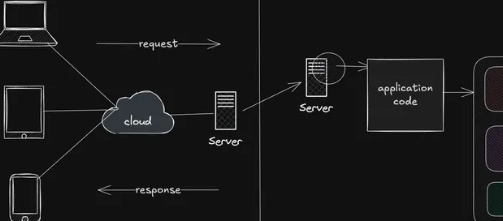
Web Application Architecture: Client-Server, MVC & Layered Architecture
Understand how web applications are structured using client-server architecture, MVC, layered architecture, and related patterns, and learn when each approach is useful.

Web Application Deployment: Vercel, Render, Docker & Cloud
Learn how to take web applications from local development to production using platforms like Vercel and Render, containerization with Docker, and modern cloud deployment platforms.

Version Control with Git & GitHub
Learn how developers track code changes, manage branches, collaborate, resolve conflicts, and maintain projects using Git and GitHub.

JavaScript Package Management: npm, pnpm & Yarn
Understand how JavaScript package managers handle dependencies, scripts, lockfiles, versions, and project environments using npm, pnpm, and Yarn.